1
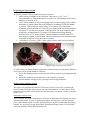
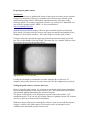
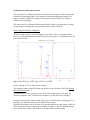
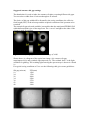
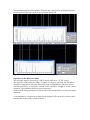
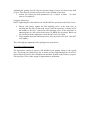
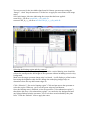
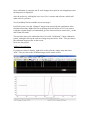
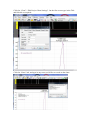
You can correct for the inevitable slant found in Littrow spectroscopes using the
“Image”/ “slant” drop down menu. Tick the box to apply the corrections to all image
strips.
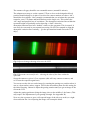
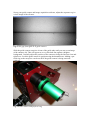
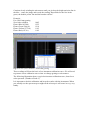
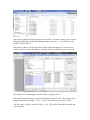
Save both images, this time indicating the correct that has been applied
neon1264_c_tilt.fit as neon1264_c_tilt_smile.fit
novacen1264_d_c_s_tilt.fit as novacen1264_d_c_s_tilt_smile.fit
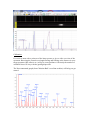
Selecting the binning region and sky removal
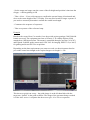
To extract the optimum data from your spectrum the vertical binning zone should be
selected to encompass the full height of the spectrum without including excessive sky
background.
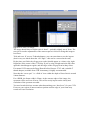
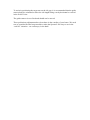
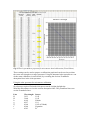
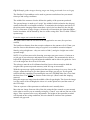
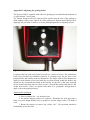
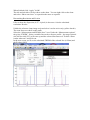
Make sure the target spectrum image strip is selected – it will display a yellow border.
Increasing the brightness (this doesn’t change the underlying image) helps to
determine where the top and bottom edges lie.
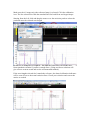
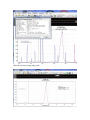
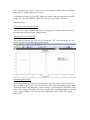
Click “Selection”/ “Set active binning region” Click and pan across the spectrum to
select the region. When set, you’ll see the green strips top and bottom.
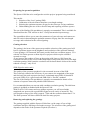
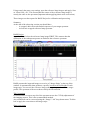
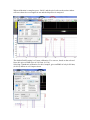
Once the binning zone is finalised, select an area above,(“Set subtraction region1”)
then below this zone (“Set subtraction region2”) to extract the sky background and
any light pollution from the spectrum. You’ll see these areas bounded by the pink
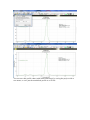
lines. Click the “Refresh” icon to apply the zones.