1
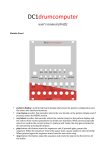
Care and feeding The soundmachines DC1drumcomputer module has a Doepfer compatible power connector and need 60+60mA (at maximum illumination, see menu) to work. By default the trigger voltage jumper on the back is inserted to provide 5V triggers. It is possible to switch it to output 12V triggers. Warning! when DC1 trigger voltage is set to 12V is NOT SAFE to self patch the module. Specifications: Panel Description: pattern display: an 8x16 led matrix display that shows the pattern configuration and the other user interface functions. row/menu encoder: this encoders selects the row (track) on the pattern display and, if pressed, enters the MENU section col/select encoder: this encoder selects the column (step) on the pattern display and the values of the various parameters in all the user functions. When pressed, typically selects or confirm the current action. In 'pattern edit' mode, the step gets activated or de-activated by pressing this button. play button: this button starts the sequencer and, if pressed again, pauses the sequence. When the sequencer enters the pause state a pause symbol is shown briefly. When pressed again the sequence starts from the next active step. stop button: this button stops the sequence and resets the step to the first (1) for all the tracks. In Song Mode stop button rewinds also the song to the first pattern. load button: when pressed, the display will show, as lit dots, the potential location for loading a pattern from memory (either 64 or 128, depending on the firmware release and the presence of the SDcard). The user will select, with the col/sel encoder, the location and, by pressing the col/sel encoder, loads it into memory.