1
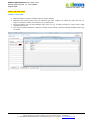
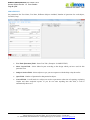
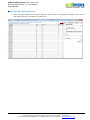
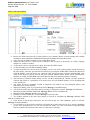
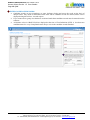
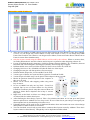
Addmen OMR Software User Guide v13.1 Answer Sheet Checker & Form Reader Page 6 of 16 CERTIFIED ISO 27001 : 2005 CREATE TEST Set parameters like Test Name, Test Date, Different Subjects included, Number of Questions for each subject, Cut-Off (if any). Test Tittle [Duration] Field - Insert Test Title. (Example:- SAMPLE TEST) Sheet Layout Field - Select Sheet Layout according to the design which you have used for this particular Test. Subject/ Section Field - Select subjects as per your test sequence with the help a drop down list. Ques Field - Number of Question for that particular subject. Cut Off Field - Cut off marks in a subject are used as a parameter at the time of reporting or plotting Graphs and other analytical reports. If you do not enter anything into this field, it will be automatically taken as 0. Development Office: C 904, Eisha Bella Vista, Near Sai Service Centre, Kondhwa, Pune – 411048 (MS) Registered Office: 134, Indramani Nagar, Race Course Road, Gwalior – 474005 (MP) Ph.: 09229113500, 08411906600 Email: software@admengroup.com Website: www.admengroup.com