1
18
UltraView PTZ
User Manual
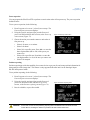
Synchronization
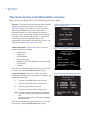
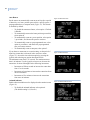
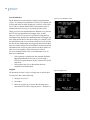
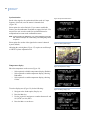
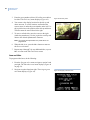
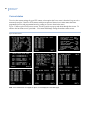
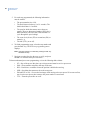
Figure 36.Synchronization menu
Set the video signal to be synchronized either to the AC input
frequency (line lock) or to the camera’s internal clock
(Figure 36).
Select option 1 to select line lock. If you want to enable this
feature, press the set button. Press iris+ to engage line lock. You
may need to wait several seconds for synchronization to be
completed and to return to the confirmation menu.
Note: If after pressing the set button, your menus disappear, press the
iris - button to escape out of this setting. The setting will go back
to option 2.
Select option 2 to set the video signal to the camera’s internal
crystal (default).
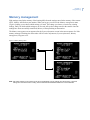
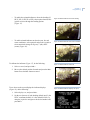
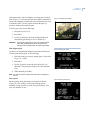
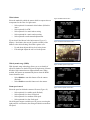
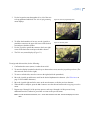
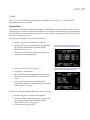
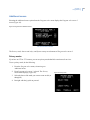
Figure 37.Vertical phase adjust
Adjusting the vertical phase (Figure 37) requires an oscilloscope
or a KTS-56 phase adjustment tool.
Temperature display
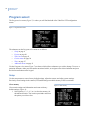
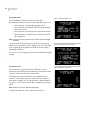
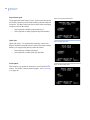
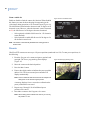
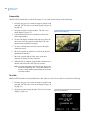
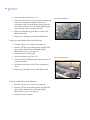
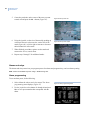
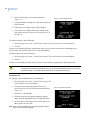
Figure 38.Temperature display
Show the temperature on the screen (Figure 38).
•
•
•
Select option 1 to disable temperature display (Default).
Select option 2 to enable temperature display, showing
Fahrenheit.
Select option 3 to enable temperature display, showing
Celsius.
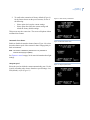
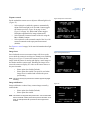
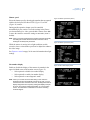
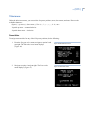
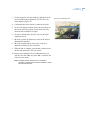
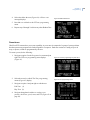
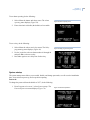
To set the display area (Figure 39), do the following:
1. Navigate to the fourth option, Display row.
2. Press the iris+ key.
3. Use the joystick to navigate to a number between 01 and
011 (NTSC) or 014 (PAL).
4. Press the iris + to set the row.
Figure 39.Setting display area