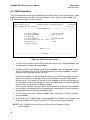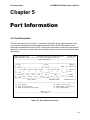
1
9145EMP NID Software User’s Manual
Diagnostics
Cable Diagnostics
4.4 Cable Diagnostics
The cable diagnostics function provides UTP cable testing. Its function is to determine the UTP
cable status and can provide a very useful physical link troubleshooting tool.
•
When the cable is OK, cable diagnostics indicates the length of the cable.
•
When there is a problem, cable diagnostics indicates how far from the interface connection the fault is and information about the fault.
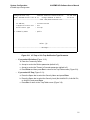
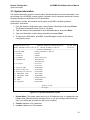
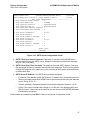
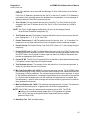
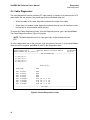
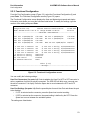
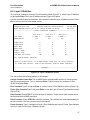
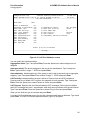
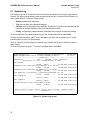
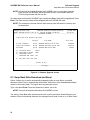
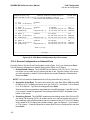
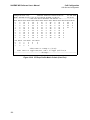
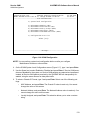
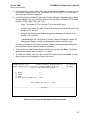
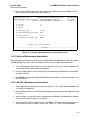
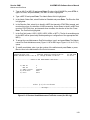
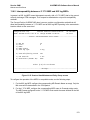
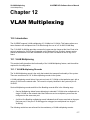
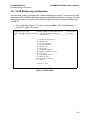
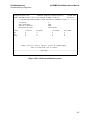
To access the Cable Diagnostics screen, from the Diagnostics menu, type 4 and press Enter.
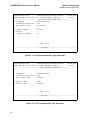
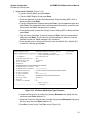
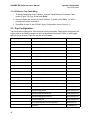
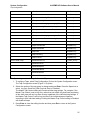
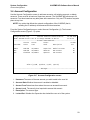
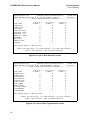
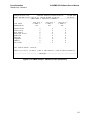
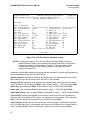
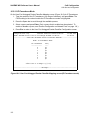
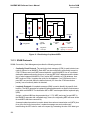
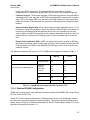
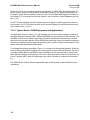
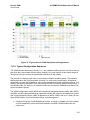
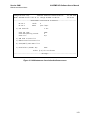
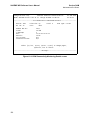
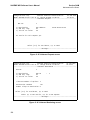
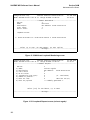
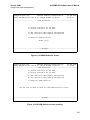
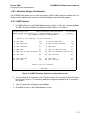
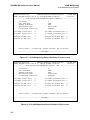
The Cable Diagnostics screen (Figure 4-6) opens.
NOTE: The cable diagnostic test is for User ports only, as the network ports are
SFP.
To run the diagnostics test on the User port, type the number of the port (1-4) and press Enter.
When the test is complete, press Esc to return to the Diagnostics menu.
Canoga Perkins Corp.
Ethernet Network Interface Device
29-JAN-2009
Model 9145EMP-761-0-0 V07.11 F7
11:20:59
-----------------------------------CABLE DIAGNOSTICS--------------------------1)
2)
3)
4)
User
User
User
User
Port
Port
Port
Port
1
2
3
4
Select[1-4]:
Interface:
USR3
Pair
Pair
Pair
Pair
Pair
Pair
Pair
Pair
Open
Open
Open
Open
0.00
0.00
0.00
0.00
1
2
3
4
1
2
3
4
State:
State:
State:
State:
Length:
Length:
Length:
Length:
<m>
<m>
<m>
<m>
+/+/+/+/-
5
5
5
5
<m>
<m>
<m>
<m>
------------------------------------Messages-----------------------------------
Figure 4-6 Cable Diagnostics screen
48