1
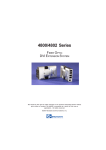
4800 Series
FIBER OPTIC
DVI EXTENSION SYSTEM
BCI reserves the right to make changes to the products described herein without
prior notice or consent. No liability is assumed as a result of their use or
application. All rights reserved.
©2006 Broadata Communications, Inc.
BCI 4800 User’s Manual
Fiber Optic DVI Extension System
SAFETY INSTRUCTIONS AND
COMPLIANCE DECLARATIONS
PLEASE OBSERVE THE FOLLOWING SAFETY
PRECAUTIONS AS OUR PRODUCTS CONTAIN
CLASS I LASER PRODUCTS
WARNING
Do not disconnect the fiber optic connector while the unit is powered
up. Exposure to laser radiation is possible when the laser fiber optic
connector is disconnected while the unit is powered up.
Although the fiber optic connectors in this product emit only Class 1
energy that is below the levels considered to be hazardous, one should
never stare directly into a fiber optic connector or an unconnected fiber
end unless one can be certain that no exposure to laser energy could
occur.
CAUTION
This manual is intended for use by trained service personnel. The use
of controls, making adjustments, or performing operations other than
those specified may result in hazardous radiation exposure.
The following label or equivalent is located on the surface of laser products.
This label indicates that the product is classified as a CLASS 1 LASER
PRODUCT.
CLASS 1 LASER PRODUCT
SURGE PROTECTION DEVICE RECOMMENDED
This product contains sensitive electrical components that may be
damaged by electrical spikes, surges, electric shock, lightning strikes,
etc. Use of surge protection systems is highly recommended in order
to protect and extend the life of your equipment.
Broadata Technical Support, CustomerService@Broadatacom.com
3
BCI 4800 User’s Manual
Fiber Optic DVI Extension System
TABLE OF CONTENTS
1.0
2.0
2.1
2.2
2.3
3.0
4.0
4.1
4.2
5.0
6.0
6.1
6.2
7.0
4
PRODUCT DESCRIPTION .............................................5
SETUP .............................................................................. 6
HARDWARE REQUIREMENTS ......................................6
SOFTWARE REQUIREMENTS .......................................9
AC/DC POWER ADAPTER TECHNICAL ADVISORY ....6
INSTALLATION ................................................................7
MAINTENANCE AND TROUBLESHOOTING................9
MAINTENANCE ...............................................................9
TROUBLESHOOTING ....................................................9
SPECIFICATIONS .......................................................... 10
SERVICE PROCEDURE ............................................... 11
REPLACEMENT POLICY ............................................. 11
RETURN AND REPAIR SERVICE ................................. 11
LIMITED WARRANTY .................................................... 12
Broadata Technical Support, (800) 214-0222
BCI 4800 User’s Manual
Fiber Optic DVI Extension System
1.0 PRODUCT DESCRIPTION
The 4800 Series is a high performance, yet affordable, Fiber Optic DVI
Extension System that is designed to carry one (1) DVI channel, over
long distances through four (4) multimode fibers.
No user adjustments are required in the 4800 system due to the use of
advanced digital fiber optic transmission technology. This allows for a
quick and easy setup, offering trouble-free operation for many years to
come. The 4800 system transmits R, G, B, clock signals separately
through one individual fiber and can support video resolution up to UXGA
(1600 x 1200).
The 4800 modules transmit 4 channels (R,G,B,Clk) of graphic data over
fiber. The DVI Digital Display Channel (DDC2B) interface is simulated
by programming EDID (Extended Display Identification Data) parameters
into a non-volatile memory device (EEPROM) located in the TX
(transmitter) module of the 4800 instead of directly from the display
peripheral. This saves the deployment of additional external lines. The
EEPROM is factory programmed to match the peripheral’s display mode.
Broadata defines it as “virtual DDC” or vDDC.
Figure 1-1
4800 Setup
Broadata Technical Support, CustomerService@Broadatacom.com
5
BCI 4800 User’s Manual
Fiber Optic DVI Extension System
2.0 SETUP
2.1 Hardware Requirements
1. You have a graphic controller card or main board with a
DVI port in your PC, SUN, or Mac system. It should
support the maximum graphic resolution feature of the
display to be connected.
2. No special memory size, CPU speed and chipsets is
required.
3. Proper initial bring-up of the entire platform with its OS
and application using a short length cooper cable is
recommended prior to bring-up with the optical link.
2.2 Software Requirements
No special needs, if the DVI graphic controller and display
peripheral are operational with the platform’s OS and
application.
2.3 AC/DC Power Adapter Technical Advisory
The transmitter (TX) module of the 4800 is designed with a
power protection circuit to prevent power conflict between
the external DC power adapter and the power supply pin on
the DVI graphic card if both are present. The AC/DC power
adapter is included in case the graphic card does not have
a +5V pin.
Generally, the Receiver (RX) module will require the AC/DC
power adapter, as most DVI peripherals do not provide +5V.
Some projectors do have the hot pin; hence a good idea to
check availability to save having to deploy it.
BE SURE to attach the TX module upstream to the
computer video card and the RX module downstream to
the peripheral.
In general, most notebook PCs require using an AC/DC
power adaptor for the TX module.
6
Broadata Technical Support, (800) 214-0222
BCI 4800 User’s Manual
Fiber Optic DVI Extension System
3.0 INSTALLATION
Important: Please use the installation procedure below. Improper,
or no operation may result if the start-up sequence is not correctly
followed.
1. Carefully unpack the contents of the shipping group.
2. With system power turned off, connect the upstream TX module
to the DVI receptacle of the computer.
3. Connect an AC/DC power adapter to the TX module of the 4800.
4. Connect the downstream RX module into the DVI receptacle of
the display.
5. Connect another AC/DC power adapter to the RX module of the
4800.
Note: You might not have to use the AC/DC adapters if power
is supplied from the DVI pin from the graphic card or the
peripherals. After successfully completing the installation
instructions, unplug the adapters one at a time. If the system
doesn’t work properly, the AC/DC power adapter can be
reconnected while the system is on and the video should be
restored. You can then remove one or both power adapters if
not required.
6. Remove the module dust covers and connect each duplex LC
fiber cable one by one as shown in Figure 2-1. Plug 1 to 1, 2 to
2, 3 to 3 and 4 to 4. Carefully recheck polarities and ensure the
duplex connectors are fully engaged.
Broadata Technical Support, CustomerService@Broadatacom.com
7
BCI 4800 User’s Manual
Fiber Optic DVI Extension System
Figure 2-1
Connection of 2 duplex LC fiber cables.
7. Power on the computer, display and AC/DC adapters.
8. It is assumed at this point that the start-up resolution of the
display initiated by the vDDC feature matches the desired
resolution previously set up in the computer Operating System.
Avoid “hot plugging” the TX or RX modules as this is not
recommended practice with live digital voltages.
It is prudent to initially ensure the computer and display platform
are functioning in close proximity to each other as required using a
standard copper DVI cable. It is then much easier to deploy the
optical extension technology.
8
Broadata Technical Support, (800) 214-0222
BCI 4800 User’s Manual
Fiber Optic DVI Extension System
4.0 MAINTENANCE AND TROUBLESHOOTING
4.1 Maintenance
No special maintenance is required for the optical DVI cables
and power supplies. Ensure that the cables and power modules
are stored or used in a benign environment free from liquid or
dirt contamination.
4.2 Troubleshooting
The display displays only black screen.
a. Check that all AC and DC plugs and jacks used by
external power supplies (both BCI and others) are firmly
connected.
b. Ensure that power bars are live.
c. Ensure that the TX and RX modules plug correctly to
the computer and display, respectively.
d. Check if the computer and display are powered on and
properly booted.
e. Re-boot up the system after reconnecting the optical
DVI cable system.
Screen is distorted or displays noises.
a. Check if the graphic resolution is properly set. Go to
the display properties of Windows and tap the settings.
Ensure that the resolution sets less than SXGA
(1,248x1,024) at 75Hz refresh ratio.
b. Reset the system.
c. Power down, disconnect and reconnect the optical DVI
cables or DC power adapters, and power up.
Broadata Technical Support, CustomerService@Broadatacom.com
9
BCI 4800 User’s Manual
Fiber Optic DVI Extension System
5.0 SPECIFICATIONS
Electrical
Signal Format
DVI
Graphic Resolution
UXGA (1600 x 1200)
SXGA (1280 x 1024)
Data Rate
up to 1.65 Gbps (per link)
Connector
DVI 24-pin plug
Physical
Dimension (H x W x D)
Standalone
0.74' x 1.5'' x 2.83''
Card-cage plug-in card
5.24'' x 0.94'' x 11.6''
Supply Current
TX = 320 (max=360) MA
RX = 280 (max=320) MA
Operating Temperature
0 to +50oC
Humidity
0 to 95% RH, non-condensing
Optical
Fiber Type
Multimode
Number of Fibers
4
Wavelength
850 nm
Fiber Optic Connector
2 Duplex LC
Recommended Fiber
50/125um Multimode
Glass Fiber
10
Broadata Technical Support, (800) 214-0222
BCI 4800 User’s Manual
Fiber Optic DVI Extension System
6.0 SERVICE PROCEDURE
6.1 Replacement Policy
Standard products found defective on arrival (DOA) will be
replaced, based on availability, within 24 to 48 hours anywhere
in the U.S. Please call Customer Service at 800-214-0222 for
information.
6.2 Return/Repair Service
The BCI 4800 System contains no user serviceable components.
If you have a problem with your unit, please contact the
Customer Service Department. To facilitate our return/repair
processing please contact Broadata Communications, Inc. to
obtain a Return Material Authorization (RMA). Please include
the following information:
•
•
•
•
Product model number
Serial Number
Complete description of problem
Hardware installation description
Broadata Communications, Inc.
2545 West 237th Street, Suite K
Torrance, CA 90505
1-800-214-0222
(310) 530-1416
(310) 530-5958 (Facsimile)
e-mail: CustomerService@Broadatacom.com
Website: www.broadatacom.com
Broadata Technical Support, CustomerService@Broadatacom.com
11
BCI 4800 User’s Manual
Fiber Optic DVI Extension System
7.0 LIMITED WARRANTY
Broadata Communications, Inc. (BCI) warrants, for a period of one year
from date of shipment, each product sold shall be free from defects in
material and workmanship. BCI will correct, either by repair, or at BCI’s
election, by replacement, any said products that in our sole discretion
prove to be defective and are returned to the manufacturing location
within 30 days after such defect is ascertained. All warranties are limited
to defects arising under normal use and do not include malfunctions or
failure resulting from misuse, abuse, neglect, alterations, electrical power
problems, usage not in accordance with product instructions, improper
installation, or damage determined by BCI to have been caused by the
Buyer or repair made by a third party. Limited warranties granted on
products are to the initial customer end-user and are not transferable.
OUR LIABILITY UNDER THIS WARRANTY SHALL IN ANY CASE BE
LIMITED TO THE INVOICE VALUE OF THE PRODUCT SOLD AND BCI
SHALL NOT BE LIABLE TO ANYONE FOR CONSEQUENTIAL OR
INCIDENTAL DAMAGES ARISING FROM THE USE OF ITS PRODUCTS
OR THE SALE THEREOF. We make NO WARRANTY AS TO THE
MERCHANTABILITY OF ANY GOODS, OR THAT THEY ARE FIT FOR
ANY PARTICULAR PURPOSE OR END APPLICATION NOR DO WE
MAKE ANY WARRANTY, EXPRESSED OR IMPLIED OTHER THAN
AS STATED ABOVE.
12
Broadata Technical Support, (800) 214-0222
BCI 4800 User’s Manual
Fiber Optic DVI Extension System
Broadata Technical Support, CustomerService@Broadatacom.com
13
BCI 4800 User’s Manual
Fiber Optic DVI Extension System
14
Broadata Technical Support, (800) 214-0222
BCI 4800 User’s Manual
Fiber Optic DVI Extension System
Broadata Technical Support, CustomerService@Broadatacom.com
15
BCI 4800 User’s Manual
Fiber Optic DVI Extension System
16
Broadata Technical Support, (800) 214-0222
BCI 4800 User’s Manual
Fiber Optic DVI Extension System
Broadata Technical Support, CustomerService@Broadatacom.com
17
BCI 4800 User’s Manual
Fiber Optic DVI Extension System
18
Broadata Technical Support, (800) 214-0222
BCI 4800 User’s Manual
Fiber Optic DVI Extension System
Notes
Broadata Technical Support, CustomerService@Broadatacom.com
19
BCI 4800 User’s Manual
Fiber Optic DVI Extension System
Notes
20
Broadata Technical Support, (800) 214-0222
Broadata Communications, Inc.
2545 West 237th Street, Suite K
Torrance, CA 90505
1-800-214-0222
(310) 530-1416
(310) 530-5958 (Facsimile)
e-mail: CustomerService@Broadatacom.com
Website: www.broadatacom.com
60000-4800