1
www.DiViSDVR.com
4-7. Schedule Setup
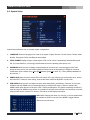
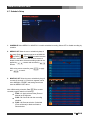
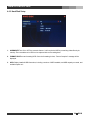
1. SCHEDULE Select WEEKLY or MONTHLY to enable scheduled recording. Select OFF to disable recording by
schedule.
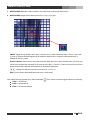
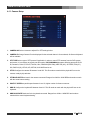
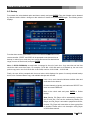
2. WEEKLY SET Allow the user to schedule by days of
the week. Each hour segment can be set to MANUAL
( ) or EVENT ( ). Press ENTER to switch between
MANUAL and EVENT, and use direction buttons to
browse on the table. Selected recording mode can be
applied by
buttons and canceled by
buttons.
While using remote controller, press
and
to cancel.
to apply
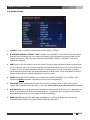
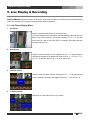
3. MONTHLY SET Allow the user to schedule by days of
a month (01 through 31). Each hour segment can be
set to MANUAL or EVENT, and setting controls are
same as WEEKLY SET above.
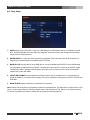
Note: While setting schedule, Func
(F1 on remote
controller) toggles selection as following:
• FUNC + 1: Apply selected value (Event or
Manual) to all segments
• FUNC + 2: Cancel all and clear recording
schedule.
• FUNC + 3: Reverse selection. Scheduled
(Event or Manual) to blank and blank to
selected value.
v
23
DiViS