1
11. Screensaver Mode
When to use?
When you do not change your settings and when you do not open the door of your
fridge for a while, you can use this function if you do not want the control panel lights be
on for vain.
How to use?
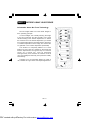
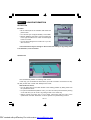
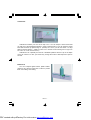
• IIn order to activate the Screensaver Mode, first enter the Menu with the Mode button
and then enter the Screensaver Mode pushing the down button and push the OK
button.
• IYou will see two lines on the screen: ON and OFF.
• IIf you select ON and push the 7 (OK) button, the mode is activated.
• IWhile the mode is active, if you do not press any button of the control panel for 5
seconds and if both doors are not opened, the lights of the control panel go out. Only
8.2 lights as a pilot lamp.
• IWhen you touch the control panel or open one of the doors, the lights of the control
panel are on.
• IIf you want, you can adjust again.
Note: While it is OFF, the lights of the control panel are on constantly.
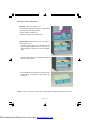
12. Button Voice
When you push the button in the control panel of your fridge, a beep sound may come
or not depending on your choice.
How to use?
You can select either of them using the 7 (OK) button entering the Menu with the Mode
button and then entering the Button Voice Tab pushing the 11 (down) button.
Other Functions
Child Lock Mode
When to use?
When you want to prevent your children from changing your settings.
How to use?
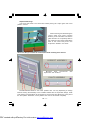
• When you hold the FRZ. SET and REF. SET. Button for 5 seconds, it is activated.
• You can cancel it in the same way.
• If you activate the Child Lock as well while the Screensaver is activated, you first
need to cancel the child lock in order to be able to cancel the screensaver.
Note: In the event that electricity goes off or that you plug off your appliance while the
Child Lock is activated, the child lock remains activated when it is plugged again.
Door Open Alarm Function
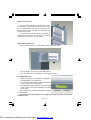
• When one of the doors are left open for more than 2 minutes, an audio warning is
given.
• “Door is Open” warning appears on the LCD Screen.
UK - 21 -
PDF created with pdfFactory Pro trial version www.pdffactory.com