1
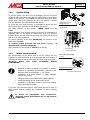
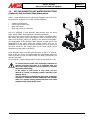
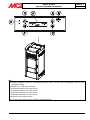
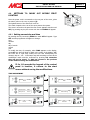
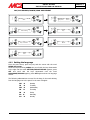
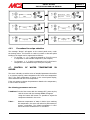
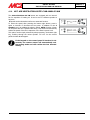
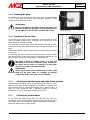
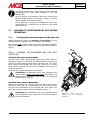
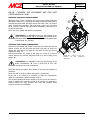
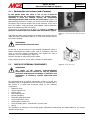
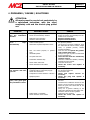
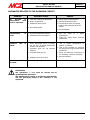
PELLET STOVES INSTALLATION AND USE MANUAL Chapter 4 page 44 DISPLAY PANEL AND COMMANDS 4.5. 4.5.1. Control panel logic Reported below are some useful information to understand the navigation logic and use the control panel: The luminosity of the control panel is switched off after about 30” seconds of the keyboard being inactive. To switch on the back lighting again just press any of the buttons on the panel. The first screen that appears displays the operating status of the stove (ON, OFF, LIGHTING, SHUTDOWN..) that alternates with any other settings activated (TIMER, SLEEP, AUTO ECO..) By pressing any of the 4 keys around the display (C D E F) you access the stove's operation settings screen (level of the flame, fan, set temperature, manual or automatic mode..). From this level the 4 keys around the display assume “dedicated” functions, i.e. they directly refer to the corresponding words that appear in the 4 corners of the display (e.g.: the word in the top right hand corner refers to the D key). When a setting is modified in any menu level without confirming the modification using the “OK” key and leaving the keypad inactive for some seconds, the initial screen reappears and the modifications are not saved. If from any menu level the on/off (B) key is briefly pressed, the display is automatically taken back to the initial screen (stove operating status) without saving any modifications not confirmed with the “OK” key. Operation Technical service - Rights reserved MCZ GROUP S.p.A. - Reproduction prohibited