1
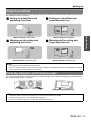
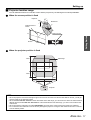
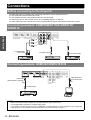
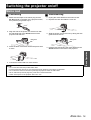
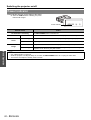
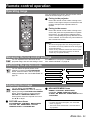
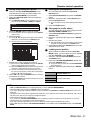
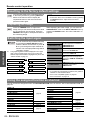
POSITION menu
Remote control
Control panel
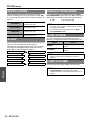
CLOCK PHASE
If you require further adjustment for the same reason as
the DOT CLOCK adjustment, you can fine adjust the
timing of the clock. Press I H to adjust. (Available with
signals from COMPUTER IN/COMPONENT IN only)
See “Navigating through the MENU” on page 29.
See “Main menu and sub-menu” on page 30.
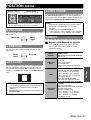
H-POSITION
You can move the projected image horizontally for fine
adjustment.
Move left
Move
right
NOTE:
• If the projecting signal’s dot clock frequency is higher
than 150 MHz, the adjustment may not make a
difference.
• Available signals from COMPONENT IN:
1 125 (1 080)/60i, 1 125 (1 080)/50i, 1 125 (1 080)/60p,
1 125 (1 080)/50p, 1 125 (1 080)/24p, 750 (720)/60p
ASPECT
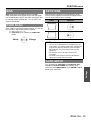
You can switch the aspect ratio manually when needed.
J Aspect ratio depend on signals
You can move the projected image vertically for fine
adjustment.
Move
down
Move up
DOT CLOCK
Press I H to cycle through the aspect ratio
options. The cycle pattern depends on the
connected signals.
VIDEO/
S-VIDEO
COMPUTER
(RGB)
4:3 \ 16:9
4:3 \ 16:9
VGA or SVGA signals
Not switchable with
WIDE480/600/720/768/768-2/800/900
signals
HDMI
4:3 \ 16:9
16:9 \ H - FIT \ V - FIT \ ZOOM
1 125 (1 080)/50i, 1 125 (1 080)/60i,
1 125 (1 080)/50p, 1 125 (1 080)/60p,
1 125 (1 080)/24p, 750 (720)/50p and
750 (720)/60p signals
4:3 \ 16:9 \ JUST \ ZOOM
525p (480p) and 625p (576p) signals
If you have interference patterns of the projected image,
which is sometimes referred to as moire or noise, you
can minimize it by pressing I H to adjust the clock
frequency. (Available with signals from COMPUTER IN
only)
NOTE:
• If the projecting signal’s dot clock frequency is higher
than 150 MHz, the adjustment may not make a
difference.
• DOT CLOCK needs to be adjusted before adjusting the
CLOCK PHASE.
4:3 \ 16:9 \ 14:9 \ ZOOM1 \
ZOOM2 \ JUST
AUTO \ 4:3 \ 16:9 \ JUST \ ZOOM
NTSC signal
COMPONENT
(YPBPR)
Settings
V-POSITION
4:3 \ 16:9 \ 14:9 \ JUST \ ZOOM1
\ ZOOM2
625i (576i), 625p (576p)
AUTO \ 4:3 \ 16:9 \ JUST \ ZOOM
525i (480i), 525p (480p)
16:9 \ H - FIT \ V - FIT
1 125 (1 080)/50i, 1 125 (1 080)/60i,
1 125 (1 080)/50p, 1 125 (1 080)/60p,
1 125 (1 080)/24p, 750 (720)/50p,
750 (720)/60p signals
ENGLISH - 37