1
7 Controller Operation
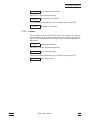
To accept the new setting press “SET”. Press “EXIT” to continue without storing the new value.
S
7.8
Accept the new proportional band setting
Controller Configuration
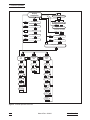
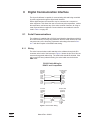
The controller has a number of configuration and operating options and calibration parameters which are programmable via the front panel. These are accessed from the secondary menu after the proportional band function by
pressing “SET”. Pressing “SET” again enters the first of three sets of configuration parameters — calibration parameters, operating parameters and serial
interface parameters. The sets are selected using the “UP” and “DOWN” keys
and then pressing “SET”. (See Figure 5 on page 16.)
7.9
Calibration Parameters
The operator of the instrument controller has access to a number of the calibration constants namely R0, ALPHA, and DELTA. These values are set at the
factory and must not be altered. The correct values are important to the accuracy and proper and safe operation of the instrument. Access to these parameters is available to the user so that in the event that the controller memory
fails the user may restore these values to the factory settings. The user should
have a list of these constants and their settings with the instrument manual.
DO NOT change the values of the instrument calibration constants from the factory set values. The correct setting of these
parameters is important to the safety and proper operation of
the instrument.
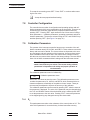
The calibration parameters menu is indicated by,
CAL
Calibration parameters menu
Press “SET” five times to enter the menu. The calibration parameters menu
contains the parameters, R0, ALPHA, and DELTA, which characterize the resistance-temperature relationship of the platinum control sensor. These parameters may be adjusted to improve the accuracy of the calibrator.
The calibration parameters are accessed by pressing “SET” after the name of
the parameter is displayed. The value of the parameter may be changed using
the “UP” and “DOWN” buttons. After the desired value is reached press “SET”
to set the parameter to the new value. Pressing “EXIT” causes the parameter
to be skipped ignoring any changes that may have been made.
7.9.1
R0
This probe parameter refers to the resistance of the control probe at 0°C. The
value of this parameter is set at the factory for best instrument accuracy.
22
Manual Rev. 8A2601
Hart Scientific