1
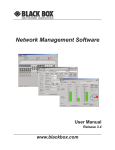
40 Black Box Network Services DFCS Fiber to Fiber Modules Black Box Network Services 17 Cluster Parameters Window The Cluster Parameters screen displays all of the essential system parameters which are collected from the controlling Management Module (MGT): System Name System Location System Description System Object ID System Up time IP Address Subnet Mask MAC Address Chassis Type System Contact Information Figure 21. DFCS Fiber to Fiber Module Window The DFCS Fiber to Fiber products provide fiber to fiber conversion. They convert typically between multimode and single-mode fibers or between singlemode fibers requiring different wavelength or different optical power levels. The Action Buttons are (left to right at top of window): close the window, apply mode and identifier changes, refresh screen data, reset the module. The DFCS Fiber to Fiber window includes the following sections: General Information Section This section provides general information about the module: a Chassis Number- Reports the chassis location (number) a Slot Number - Reports the slot location within a chassis a Model Number - Reports the model number of the module a Description - Provides a description of the module a Identifier - Provided a user-defined description of the module Figure 8. Cluster Parameters Window