1
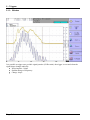
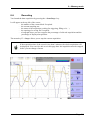
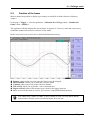
4 – Use 4.8. « Start/Stop » key Start / Stop This key has various effects according to the current mode of the appliance. Chart recorder Direct mode: launches the printing on paper if its triggering is in manual start; else, sets the appliance in wait mode for the triggering Start condition. Memory mode: launches the acquisition in internal memory and sets the appliance in wait mode for the triggering Start condition. GoNogo mode: launches the acquisition in internal memory and sets the appliance in wait mode for the triggering Start condition. File mode: launches the acquisition on file and sets the appliance in wait mode for the triggering Start condition. Power analyser mode: the acquisition is made immediately in real-time on the flash disk ( there is no trigger) In any case, to stop recording before the triggering Stop condition, you only have to press the same key « Start/Stop » once again. In Memory, GoNogo or File modes, the appliances switch automatically to display of the current acquisition. At the top left of the screen, it will then appear: the number of the current block if required the current sampling rate the status of the acquisition (waiting triggering start, proceed xx%, …) the opening of a saving file if required a bargraph where you can recognise the percentage of achieved acquisition and the percentage of displayed acquisition. Page 4.13