1
2.
3.
4.
5.
6.
If your mainboard has an item called Firmware Write Protect in Advanced
BIOS features, disable it. (Firmware Write Protect prevents BIOS from being
overwritten.)
Create a bootable system disk. (Refer to Windows online help for information on creating a bootable system disk.)
Download the Flash Utility and new BIOS file from the manufacturer's
Web site. Copy these files to the system diskette you created in Step 3.
Turn off your computer and insert the system diskette in your computer's
diskette drive. (You might need to run the Setup Utility and change the boot
priority items on the Advanced BIOS Features Setup page, to force your
computer to boot from the floppy diskette drive first.)
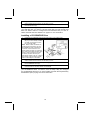
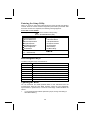
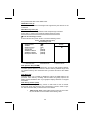
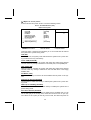
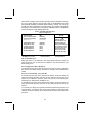
At the A:\ prompt, type the Flash Utility program name and press <Enter>. You see a screen similar to the following:
FLASH MEMORY WRITER V7.33
(C) Award Software 1999 All Rights Reserved
For (MAINBOARD NAME)
DATE: 10/26/2000
Flash Type
File Name to Program :____________________
Error Message
7.
8.
Type the filename of the new BIOS in the “File Name to Program” text
box. Follow the onscreen directions to update the mainboard BIOS.
When the installation is complete, remove the floppy diskette from the
diskette drive and restart your computer. If your mainboard has a Flash
BIOS jumper, reset the jumper to protect the newly installed BIOS from
being overwritten.
Using BIOS
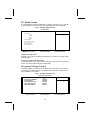
When you start the Setup Utility, the main menu appears. The main menu of
the Setup Utility displays a list of the options that are available. A highlight
indicates which option is currently selected. Use the cursor arrow keys to
move the highlight to other options. When an option is highlighted, execute
the option by pressing <Enter>.
Some options lead to pop-up dialog boxes that prompt you to verify that you
wish to execute that option. Other options lead to dialog boxes that prompt
you for information.
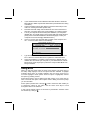
Some options (marked with a triangle ) lead to submenus that enable you
to change the values for the option. Use the cursor arrow keys to scroll
through the items in the submenu.
In this manual, default values are enclosed in parenthesis. Submenu items
are denoted by a triangle .
29