1
DTS-SOLAR 2-P25 Add
22.
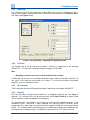
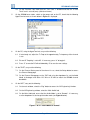
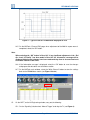
On the TM ET, on the “P25” tab of the “Channel Setup” page, use the drop-down list and set
the “Audio Mode” as required (Analogue, P25 or Auto).
23.
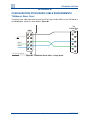
In order to measure P25 Modulation Fidelity, on the rear panel of the SB2000 base station,
connect a suitable P25 Radio Test Set to the Tx O/P.
24.
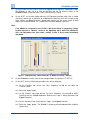
On the TM ET, on the “P25” tab of the “Channel Setup” page, use the drop-down list and set
the “Audio Mode” to P25.
25.
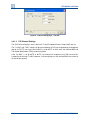
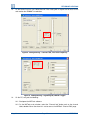
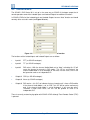
On the NI ET, on the NI Engineering window, carry out the following:
25.1. On the “Facilities” tab, select the “External” Test Tone Route.
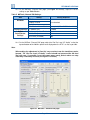
25.2. On the “Signalling” tab, select “Manual Trigger”.
Note.
In this configuration, tone frequency and level settings are not relevant, as a standard
P25 TIA 1011 Hz test signal will be transmitted.
26.
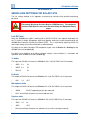
On the P25 Radio Test Set, confirm that the modulation fidelity is around 2%.
May 11
Page 36
APPENDIX A