1
Deleting
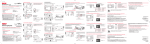
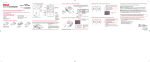
Deleting recordings
To delete the last recording:
1. Press DELETE and press + or - to select One.
Video 0003/0003
Delete:
All
Cancel
One
2. Press the red RECORD
button to confirm delete.
To delete all recordings:
1. Press DELETE and press + or - to select All.
Video 0003/0003
Delete:
All
Cancel
One
2. Press the red RECORD
button.
3. Press + or - to select Confirm and press the red RECORD
18
button to confirm delete all recordings.