1
42
Geocentrix Repute 2 Quick-Start Guide
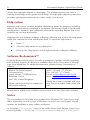
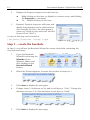
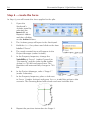
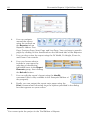
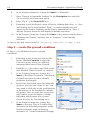
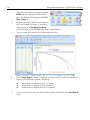
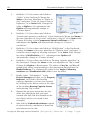
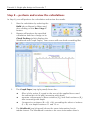
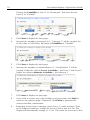
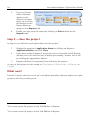
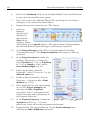
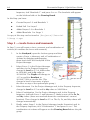
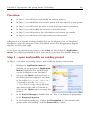
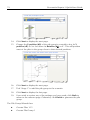
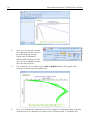
initially shown. To display this additional information, click on the button
in the top-left-hand corner (labelled *) and select the data you want to
see. The picture here show results for the depth 10 m.
5.
The results calculated by Repute differ from those given in the book by
Bond and Harris (2008), where a model factor on resistance of 1.5 was
used (following the draft Irish National Annex). Instead, Repute uses the
value 1.75 that appears in the final version of the Irish National Annex.
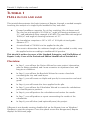
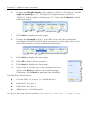
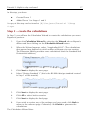
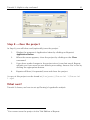
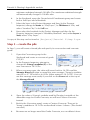
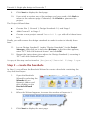
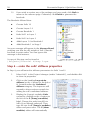
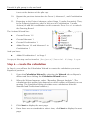
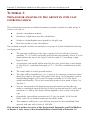
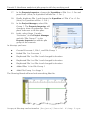
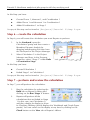
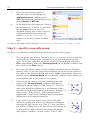
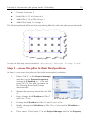
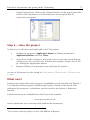
You can check this by selecting the View tab on
Repute’s ribbon and then clicking on the Specify
button. Then, select ‘EC7 with Irish National Annex’
in the Project Manager to display its properties in
the Property Inspector. Expand the category labelled
Options (if necessary) and read the value for Model
factor on resistance.
A Repute project which reproduces Bond and Harris’s calculations can be found in
[Projects]\Examples\Bond and Harris (2008) Ex 13.1.rpx.
Step 9 – change the design standard
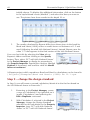
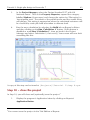
In Step 9, you will create a second calculation, identical to the first but based on
the UK National Annex to Eurocode 7.
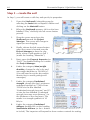
1.
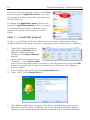
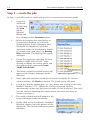
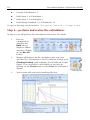
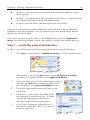
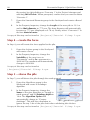
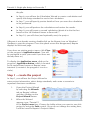
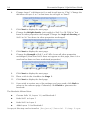
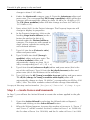
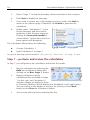
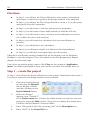
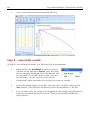
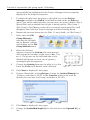
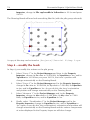
Returning to the Project Manager, create
a copy of Calculation 1 by right-click on it
(under ‘Calculations’) and selecting the
Edit > Duplicate command.
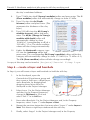
2.
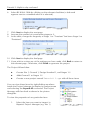
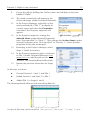
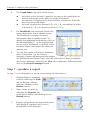
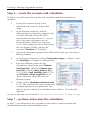
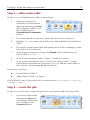
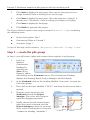
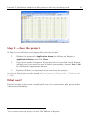
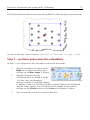
With Calculation 2 selected in the Project
Manager, change the Design Standard
selected for this calculation in the Property
Inspector, from ‘EC7 with Irish National
Annex’ to ‘EC7 with UK National Annex’.