1
C H A P T E R
5
R E M O T E
C O N F I G U R A T I O N
Moving MDConfig to Another Computer
Use MDaemon’s executable installation file to install only MDConfig on the remote machine. Simply
proceed through the normal MDaemon installation process but enable only the MDConfig installation
option when asked which items to install.
Alternatively, you can copy the necessary files from your current installation and manually move them to
the other machine. To do that, copy these files into their own directory on the other computer:
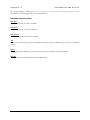
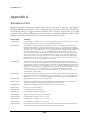
CFEngine.exe
CFilter.dll
CFilter.exe
MDCONFIG.EXE,
MDUSER.DLL,
MDUserLdap.dll
NTUtil.DLL, and
XCeedZip.DLL files into their own directory on the other computer.
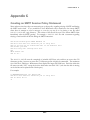
Further, MDConfig uses CTL3D and Borland Custom Control DLL files. These files were installed along
with MDConfig on the original computer. The files you need are CTL3D*.DLL and BWCC*.DLL from
the original computer’s Windows System directory. They need to be placed into the new computer’s
Windows System directory, not in the same directory as MDCONFIG.EXE and MDUSER.DLL. For
Windows 95 systems, the directory is \windows\system. For NT4 machines it is
\windows\system32.
M D C O N F I G
-
R E M O T E
C O N F I G U R A T I O N
C L I E N T
7 3