1
Section 3: Using Vidiola
Using Video Capture Applications
For
information
on the
capture
program,
refer to
"Video
Capture
Guidelines" in
this section.
Software is provided to capture and edit video with
Vidiola, Vidiola Pro/D and Vidiola Premium. Using the video capture software program provided,
you can set up your video format, source and display parameters. There are three configuration
menus:
• Video Format
• Video Source
• Video Display
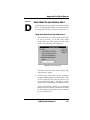
Video Format Configuration
The Video Format Configuration allows you to set
the window size and the video recording format.
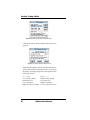
For Vidiola and Vidiola Pro/D only. For motion video
capture, you will get the best quality and capture
performance by selecting "Vidiola 1 Compressed"
for the Image Format. If you only want to capture a
still frame, set the Image Format to 24-bit RGB.
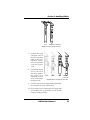
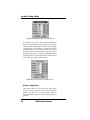
Figure 3.9: Video Format Menu (Vidiola & Vidiola Pro/D)
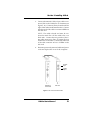
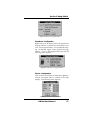
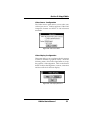
For Vidiola Premium only. For motion video capture,
you will get the best quality and capture performance by selecting "Vidiola Premium JPEG Compressed" for the Image Format (see Figure 3.10).
When you select this format, you have the opportunity to vary the amount of compression applied to
the video during capture.
Vidiola User's Manual
29