1
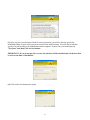
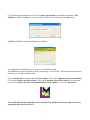
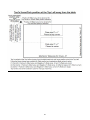
4. The processing will start at this point. Including spindle on, turning on of the I/O’s, G rapids, and
the rest of the job.
5. If the CAM program does not have the facility to lift the Z axis at the beginning of the job, the
user will be required to edit the file and insert appropriate tool lift command.
6. Assuming X axis to be the axis from left to right as the user faces the machine, X axis moving
right is a positive number and X axis moving left is a negative number.
7. Assuming Y axis to be the axis from front to back as the user faces the machine, Y axis moving
away from the user is a positive number and Y axis moving toward the user is a negative
number.
8. For the Z axis, Z axis moving up is a positive number and Y axis moving down is a negative
number.
62