1
iLabel User’s Manual
405-00011-00
Review History
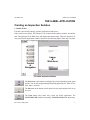
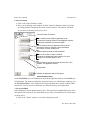
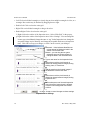
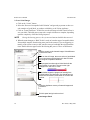
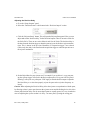
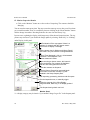
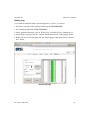
b. Click on the “History Recall” button if it is active. This button is not active if the History
Log was disabled in the Setup Outputs panel. We recommend disabling the history log
during actual inspection. The Camera view is selected in the Monitor panel.
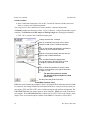
The History Recall displays (in the Monitor panel) the measured values or data. The Work Area
displays the image for each part that was recorded.
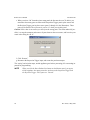
c. Click on “Back to Monitor” and note the “Inspect Time”.
d. Click on “Ok” to return to the first panel.
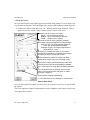
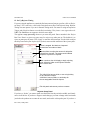
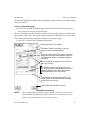
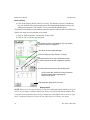
The Camera view is not available if only one camera
has been trained or configured.
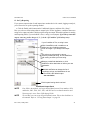
The values for each inspected label.
Select a category: Pass, Recycle, or Reject.
Drag the small circle to select a Record Number
to view. Records are stored in Appliance memory.
Exit this panel and go back to the Monitor panel.
Do Not switch the Solution ID using an external
hardware switch when displaying the
History Recall panel.
Exit this panel and go back one level.
History Recall
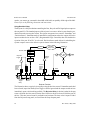
NOTE: When you are viewing the History records, the Conditional Outputs and History Log are
locked. No new images or data are added to the History Log and the Conditional Outputs. Processing does continue and Pass/Recycle/Reject outputs are still available (unless driven by equations). Conditional Output will repeat the last values before the History was locked.
32
Rev 1450; 3 May 2007