1
Freescale Semiconductor, Inc.
Commands
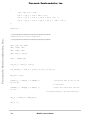
BR
Usage:
Breakpoints
BR addr <-r> <-c count> <-t trigger>
The BR command inserts or removes breakpoints at address addr. The value for addr may
be an absolute address specified as a hexadecimal value, or a symbol name. Count and
trigger are numbers converted according to the user-defined radix, normally hexadecimal.
If no argument is provided to the BR command, a listing of all defined breakpoints is
displayed.
Freescale Semiconductor, Inc...
The -r option to the BR command removes a breakpoint defined at address addr. If no
address is specified in conjunction with the -r option, then all breakpoints are removed.
Each time a breakpoint is encountered during the execution of target code, its count value
is incremented by one. By default, the initial count value for a breakpoint is zero, but the -c
option allows setting the initial count for the breakpoint.
Each time a breakpoint is encountered during the execution of target code, the count value
is compared against the trigger value. If the count value is equal to or greater than the trigger
value, a breakpoint is encountered and control returned to dBUG. By default, the initial
trigger value for a breakpoint is one, but the -t option allows setting the initial trigger for
the breakpoint.
If no address is specified in conjunction with the -c or -t options, then all breakpoints are
initialized to the values specified by the -c or -t option.
Examples:
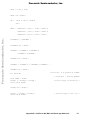
To set a breakpoint at the C function main() (symbol _main; see “symbol” command), the
command is:
br
_main
When the target code is executed and the processor reaches main(), control will be returned
to dBUG.
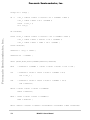
To set a breakpoint at the C function bench() and set its trigger value to 3, the command is:
br
_bench -t 3
When the target code is executed, the processor must attempt to execute the function
bench() a third time before returning control back to dBUG.
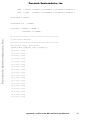
To remove all breakpoints, the command is:
br
2-12
-r
M5407C3 User’s Manual