1
APPENDIX C
INTERFACE PORTS
RS-232C PROGRAMMING PORT
CONFIGURATION
RS-232
Programming Port
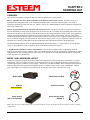
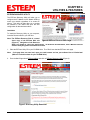
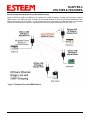
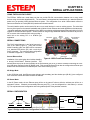
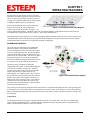
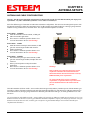
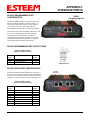
The ESTeem Model 195Ea has a proprietary RS-232C
interface in a RJ-45 connector on the front panel. To
interface the 195Ea to the serial port on the computer,
you need ESTeem cable AA0621 that combines a
standard Ethernet patch cable to a 9-pin Female adapter.
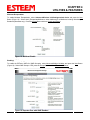
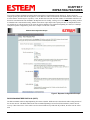
The serial port on the ESTeem Model 195Ea can be used
to access the configuration menu in the ESTeem for
system and network configuration. The ESTeem
communications port operates at 38,400 bps, No Parity,
8 Data Bits and 1 Stop Bit (38,400,N,8,1). Configure
your terminal program to match these settings.
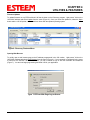
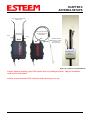
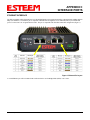
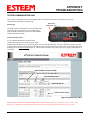
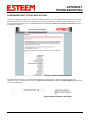
Model 195Ea Serial Port Interface
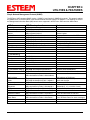
RS-232 PROGRAMMING PORT PIN-OUT TABLE
ESTeem Model AA0621
RS-232C Port Pin-Out Table
RJ-45
Pin No.
4
5
6
Function
Signal Ground (GND)
Receive Data (RxD)
Transmit Data (TxD)
DB-9
Pin No.
5
2
3
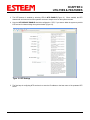
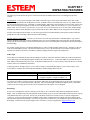
Ethernet Pin-out
RS-232C DATA PORT CONFIGURATION
RS-232
Data Port
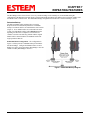
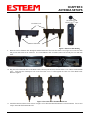
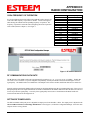
The ESTeem Model 195Ea has an RS-232C interface in a
RJ-45 connector on the front panel that can be installed as
an option . To interface the 195Ea to the serial port on the
computer, you need serial cable with the following pin-out:
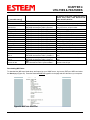
ESTeem Model AA0621
RS-232C Port Pin-Out Table
RJ-45
Pin No.
1
2
3
4
5
6
7
8
Function
Data Set Ready (DSR)
Data Carrier Detect (DCD)
Data Terminal Ready (DTR)
Signal Ground (GND)
Receive Data (RxD)
Transmit Data (TxD)
Clear to Sent (CTS)
Request to Sent (RTS)
Revised: 9 Sep 11
DB-9
Pin No.
6
1
4
5
2
3
8
7
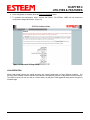
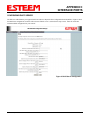
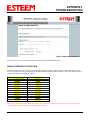
Model 195Ea Serial Data Port Interface
APX C-3
EST P/N AA107A