1
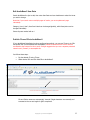
To delete all the records contained in a particular .MT Project follow the steps below:
Step
Step
Step
Step
Step
1
2
3
4
5
-
Press the AudioBase key.
Press the FILE soft key.
Press the PURGE soft key.
Use the jogger wheel or + and - keys to select the desired .MT Project.
Press Enter
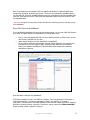
LINE field
When the field is inactive (i.e., left blank), the files referenced in the search results are NOT
tested to see if they are online or not. This yields the fastest search. The results of the search will
show the LINE value as “?”, meaning "don't know".
When the field is set to ON, OFF or ANY, each file is tested to see if it is online or not, yielding a
much slower search. If set to ANY, then all files returned by the search are included in the
results, online or offline.
Notes:
AudioBase3 is designed to service a whole network of DREAM and MFX3+ workstations,
and is therefore capable of handling very large sound libraries.
When a search yields a large number of results, it produces very significant network traffic to
download all the information to the MFX workstation that initiated the search. To prevent this
happening, only the first group of 100 found records are downloaded, but as the list is scrolled,
more records are found inside the database and downloaded automatically, keeping the flow of
information coming smoothly. AudioBase3 sorts all records alphabetically by name before
downloading them from the server.
Editing the Form
The AudioBase Form can be changed from its default setup by editing a file which
defines its layout.
Type: $<Enter> This brings up an OS9 shell or text interface.
chd /dd/usr/mfx<Enter>
ed abase.form<Enter>
Copyright © 2005 FairlightAU
9