1
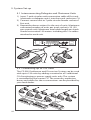
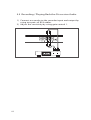
5.3 Connecting an External Microphone
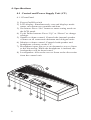
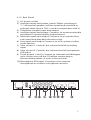
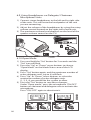
1) Insert an external microphone connector into
microphone XLR input on CU.
2) Adjust the sensitivity by using gain control 2.
Caution: Always use the microphone with
balanced output. The microphone XLR input
provides a 12V phantom power supply.
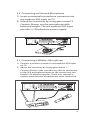
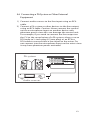
5.4 Connecting a Wireless Microphone
1) Connect a wireless receiver to microphone XLR input
on CU.
2) Adjust the sensitivity by using gain control 1.
Caution: Always make sure that any device connected
to the XLR microphone input on the control unit can
handle 12V phantom power. Check user manual or
contact manufacturer of equipment to be connected.
11