1
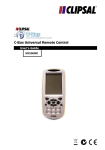
C-Bus Universal Remote Control
6.4
Configuring Quick Channels
1) Press and hold the MACRO button
on the touch screen.
2) Press each numbered button (2, 4,
6, 8) until it disappears.
3) Use the arrow buttons on the touch
screen to select Q CH, then press
OK.
4) Use the device buttons to select a
device.
5) Use the number buttons (0 to 9) to
enter a channel number. Press
ENTER if your device normally
needs ENTER to be pressed after
entering a channel number.
6) Select a Quick Channel button to
assign the channel to (such as
NEWS).
7) Repeat to add additional channels.
8) When finished, press EXIT to leave
the MACRO menu.
Each device can have up to 50 channels (in total) assigned to its
Quick Channel buttons.
6.5
Deleting Quick Channels
1) Press and hold the DELETE button
on the touch screen.
2) Press each numbered button (2, 4,
6, 8) until it disappears.
3) Use the arrow buttons on the touch
screen to select Q CH, then press
OK.
36