1
IDEAUsersGuide.book Page 82 Monday, August 2, 1999 2:30 PM
IDEA Command Reference
Errors > Bottom option
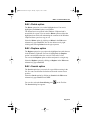
The Bottom option highlights the last error in the Errors window.
Select the Bottom option by clicking on Bottom in the Errors menu.
Alternatively, type Alt+R+B.
You can also click on the Show Last Error tool
on the Tool bar.
Errors > Next option
The Next option shows the next error in the Errors window.
Select the Next option by clicking on Next in the Errors menu.
Alternatively, type Alt+R+N.
You can also click on the Show Next Error tool
on the Tool bar.
Errors > Prev option
The Prev option highlights the previous error in the Errors window.
Select the Prev option by clicking on Prev in the Errors menu. Alternatively, type Alt+R+P.
You can also click on the Show Previous Error tool
bar.
Page 8-82
on the Tool