1
some jars into your lib folder
some dlls into your bin folder
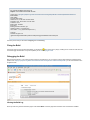
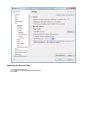
Please follow the installation instructions carefully.
Java Advanced Imaging
Download this Version of JAI
Java Advanced Imaging API 1.1.3
1. Download JAI for your JDK by clicking on the above link
Example: jai-1_1_3-lib-windows-i586-jdk.exe
2. Use the one click installer to install JAI into your JDK
3. Download JAI for your JRE by clicking on the above link
Example: jai-1_1_3-lib-windows-i586-jre.exe
4. Use the one click installer to install JAI into your JRE
If you are working on linux you will of course need to choose the appropriate download.
For More Information
Java Media Home Page: http://java.sun.com/products/java-media/jai/index.jsp
Java Image IO
Download this Version of ImageIO
JAI Image I/O Tools 1.1
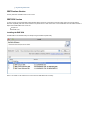
1. Download ImageIO for your JDK by clicking on the above link
Example: jai_imageio-1_1-lib-windows-i586-jdk.exe
2. Download ImageIO for your JRE by clicking on the above link
Example: jai_imageio-1_1-lib-windows-i586-jre.exe
If you are working on linux you will of course need to choose the appropriate download.
Optional: Classpath Install (Emergency Backup Plan)
Notes:
This is only needed if the windows one-click installers don't work for you (say for example you are on linux on OS X).
OS X has started including JAI and ImageIO so your luck may vary
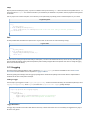
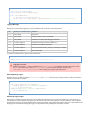
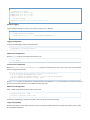
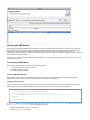
The basic idea is to download the zip file and place the jars into your libs folder (for both your JRE and JDK).
For details please visit this page:
Manual JAI Installation
Manual ImageIO Installation
Mac OSX (10.3 Panther)
The Java SDK 1.4.2 comes with the Panther install disks and is hopefully pre-installed with your mac.
Install the Java 3D and Java Advanced Imaging Update from apple to get the JAI extension (and other goodies).
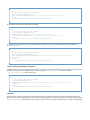
The JAI image_io extension is not yet available for mac. However, you can use the jar from the Linux/windows download to get
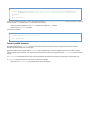
pure java functionality. Copy jai_imageio.jar to
/System/Library/Frameworks/JavaVM.framework/Versions/1.4.2/Home/lib/ext. According to
README-jai_imageio.html, the "JPEG and PNG reader-writer plug-ins will not be available" without the native code.
Manual ImageIO Installation