1
MSO Gold
1.1
User Manual V2.2
MSO Gold
User Manual V2.2
System Minimum Requirements
To install the MSO Gold, the minimum requirements are:
¨ OS: Windows XP/2000
¨ System Requirement: Pentium III 1GHz or greater, 128 MB RAM or
greater
¨ Window Media Player 9 or higher
¨ Update K-Lite Codec Pack Video decoder
1.2
MSO Gold Installation*1
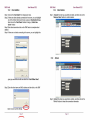
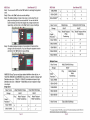
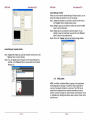
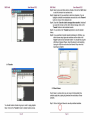
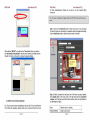
Step1. Load the MSO Gold Setup from CD-ROM into your computer.
Step2. If you have installed previous version of MSO Gold, please uninstall
it before you continue the following steps*2.
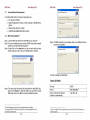
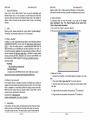
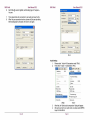
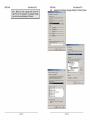
Step3. Double click on the “setup.exe” icon and the setup utility will start
with the welcome screen, click on the “Next” button to continue.
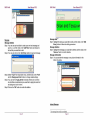
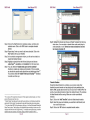
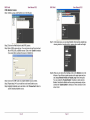
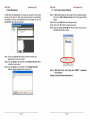
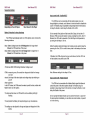
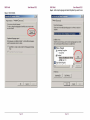
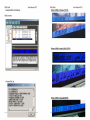
Step5. The MSO Gold utility is now installed. Click on the “Close” button to
complete the installation.
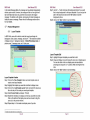
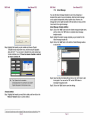
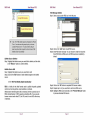
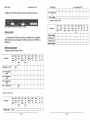
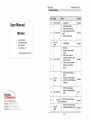
The factory settings are listed below.
Factory LAN Setting
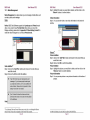
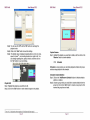
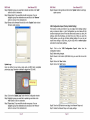
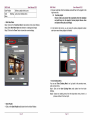
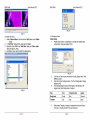
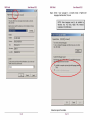
Step4. The setup wizard will choose the default folder to install MSO Gold.
Click on the “Browse” to select the folder you would like to install
MSO Gold. Click on the “Next” to continue installation process.
IP mode
DHCP
IP port
8001,8002,8003*3
Server IP (the IP that NP Gold
connects to automatically)
192.168.0.188
1
The default language is English, French and Spanish are also available.
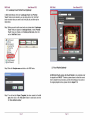
Please remove MSO Gold from Control Panel if you cannot uninstall MSO Gold
successfully from Start menu.
2
Page 7
3
If your PC is behind a firewall, please make sure port 8001, 8002, 8003 are open or set
firewall exceptions.
Page 8