1
9.DATE AND TIME
The system comes equipped with internal real-time clock (RTC) that keeps track of the current date and time. Once the system is up and
running, the user must set the correct date and time, otherwise the system will not operate properly. By default, after shutting down and
starting up the system, the date and time must be set again. In order to avoid manual date and time set up, please use the automatic date
and time synchronization feature (see 9.1. Automatic Date and Time Synchronization).
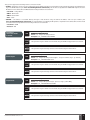
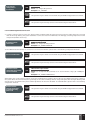
Set date and time
SMS
SMS text message content:
ssss_yyyy.mm.dd_hr:mn
Value: ssss – 4-digit SMS password; yyyy – year; mm – month, range – [01... 12]; dd – day,
range – [01... 31]; hr – hours, range – [00... 23]; mn – minutes, range – [00... 59].
Example: 1111_2013.03.16_14:33
Config
Tool
This operation may be carried out from the PC using the ELDES Configuration Tool software.
WEB
This operation may be remotely carried out from the PC using the web browser.
BROWSER
9.1. Automatic Date and Time Synchronization
This feature enables the system to set the date and time automatically without the user being involved in this process. The system supports
the following methods of automatic date and time synchronization that are used automatically on system start-up and periodically (by
default – every 30 days):
• Via GSM network – Once enabled, the system automatically sends a date/time request to the GSM operator. This method is the
most accurate synchronization method. Some GSM operators might not support it.
• By SMS text message – Once enabled, the system automatically sends the SMS text message to its own phone number and
retrieves the date and time from the SMS text message reply, as the included date and time is set by the SMSC (SMS center). This
method is not as accurate as the synchronization via GSM network, but always effective.
By default, synchronization via GSM network is disabled. To enable/disable automatic date and time synchronization via GSM network,
please refer to the following configuration methods.
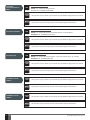
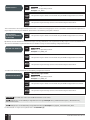
Enable/disable
synchronization via
GSM network
Config
Tool
This operation may be carried out from the PC using the ELDES Configuration Tool software.
WEB
This operation may be remotely carried out from the PC using the web browser.
BROWSER
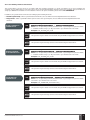
By default, synchronization by SMS text message is disabled. To enable/disable automatic date and time synchronization by SMS text
message, please enter/remove device phone number using one of the following configuration methods.
Enter/remove device
phone number for
synchronization by
SMS text message
Config
Tool
This operation may be carried out from the PC using the ELDES Configuration Tool software.
WEB
This operation may be remotely carried out from the PC using the web browser.
BROWSER
ESIM110/ESIM120 Manual v.3.3
EN
17