1
Instant BroadbandTM Series
Wireless
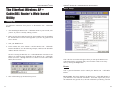
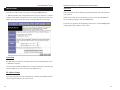
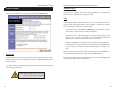
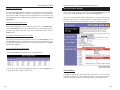
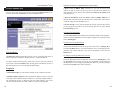
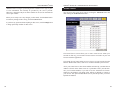
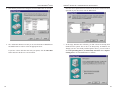
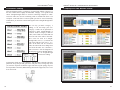
You can access this screen at any time by clicking the Wireless button.
Any changes made to the Wireless settings must match those of the other wireless devices in your Network.
Etherfast® Wireless AP + Cable/DSL Router with PrintServer
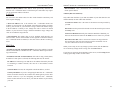
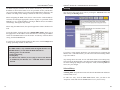
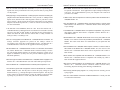
• SSID (Service Set Identifier). All Wireless devices in your Network must
use the same SSID. Make sure that this field reflects the correct SSID for your
network.
• Channel No: All Wireless devices in your Network must use the same SSID.
Make sure that this field reflects the correct channel for your network. Should
you experience any interference, you may need to experiment with different
channels to establish a better connection.
WEP Data Privacy
WEP is Wired Equivalent Privacy, a data privacy mechanism based on a 64-bit
or 128-bit shared key algorithm, as described in the IEEE 802.11b standard.
Using a 128-bit shared key algorithm will increase network security. However,
you may experience decreased network performance when using a 128-bit
shared key algorithm.
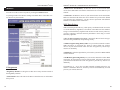
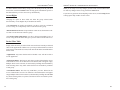
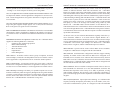
• Off - no data encryption. When WEP is turned off, data will not be encrypted before being transmitted, compromising security.
• 64 Bit Encryption using this key table. For your wireless Network to utilize
WEP encryption, an encryption key must be entered fields. All wireless
devices on your Network must utilize the same encryption key and all keys
must be set identically.
• Default Key. Select the algorithm key to be used in your 64-bit WEP-enabled
wireless Network.
• 128 Bit Encryption using this key. For your wireless Network to utilize WEP
encryption, an encryption key must be entered fields. All wireless devices on
your Network must utilize the same encryption key and all keys must be set
identically.
Configuration
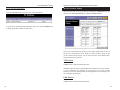
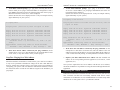
The WEP keys (1 - 4) are five two-digit numerals in length and can be any
numeric combination. However, these keys must be used identically for each
point on your wireless Network.
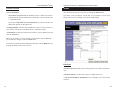
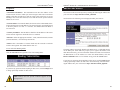
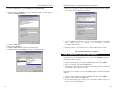
• Regulatory Domain. It is illegal to use this device in any location outside of
the Regulatory Domain.
• Station Name. This is the same as the Device Name that was set on the Basic
Setup screen.
19
20