1
4
Using iControl
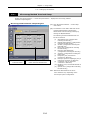
iControl, one of the i Series Support Tools, lets you monitor the status of the microscope system
at a glance while performing microscopy. It also lets you operate motorized attachments.
iControl Workflow
4.1
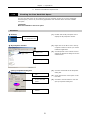
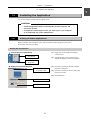
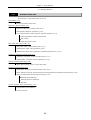
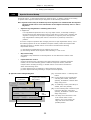
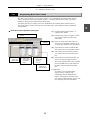
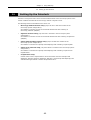
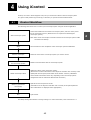
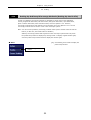
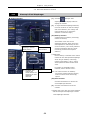
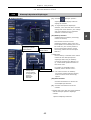
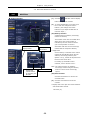
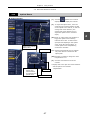
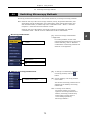
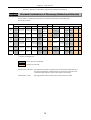
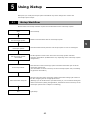
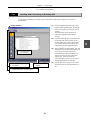
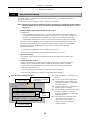
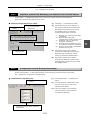
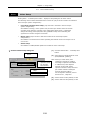
The following flow shows how to control your microscope system using the iControl application.
Start microscope system
Connect the USB to the PC and the microscope system, and turn on the power
for the microscope system. (Maximum 40 sec required for initializing the
microscope system)
Note: Refer to the microscope's instruction manual for microscope system's USB
connection and startup.
Start
Select a microscope
Initiate communications with
the microscope system
Obtain microscope status
Observe (operate the
microscope)
End
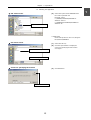
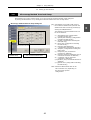
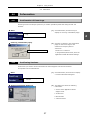
Launch iControl at the completion of the microscope system initialization.
Select the name of the microscope system you want to control.
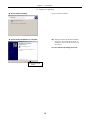
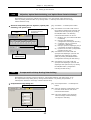
Initiate communications with the microscope system.
Obtain the status of the microscope system.
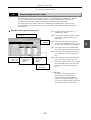
(Status here includes information on the objective and filter cube currently in the
optical path and the open/closed status of the shutter. However, obtainable
control status information items vary depending on the microscope system
configuration and the motorized attachments connected.)
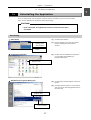
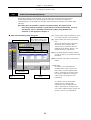
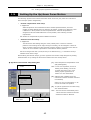
Operate the microscope from the PC.
(Information on the objective and filter cube currently in the optical path and
other information are displayed when appropriate.)
Quit iControl.
Use iSetup during observations to change settings. For more information, refer to Section 4.5.1.
45
4