1
20 |
NORD ELECTRO 3 USER MANUAL OS V3.X
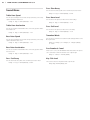
Sound Menu
Perc. Slow Decay
Sets the slow mode decay time of the Tonewheel percussion effect.
Range: L - Long, n - Normal (default), S- Short
Treble Horn Speed
Sets the speed setting (in the fast and slow speed modes) of the rotary
speaker simulation’s treble horn.
Range: H - High, n - Normal (default), L - Low
Treble Horn Acceleration
Sets the acceleration and retardation time of the rotary speaker simulation’s treble horn.
Range: H - High, n - Normal (default), L - Low
Bass Rotor Speed
Sets the speed setting (in the fast and slow speed modes) of the rotary
speaker simulation’s bass rotor.
Range: H - High, n - Normal (default), L - Low
Bass Rotor Acceleration
Sets the acceleration and retardation time of the rotary speaker simulation’s bass rotor.
Range: H - High, n - Normal (default), L – Low
Perc. Fast Decay
Sets the fast mode decay time of the Tonewheel percussion effect.
Range: L - Long, n - Normal (default), S- Short
Perc. Norm Level
Sets the level of the percussion effect in its normal setting.
Range: H - High, n - Normal (default), L – Low
Perc. Soft Level
Sets the level of the percussion effect in its soft setting.
Range: H - High, n - Normal (default), L – Low
Tonewheel Mode
Sets the level of tonewheel crosstalk and cable leakage artifacts of the
B3 organ model.
Range: u3 – Vintage 3, u2 - Vintage2, u1 - Vintage1 (default),
Cl – Clean
Perc Drawbar 9 Cancel
If this is set to cancel, the 9th drawbar will be muted when the percussion is activated, to mimic the behavior of an original organ.
Range: C – Cancel, n – Normal (default).
Key Click Level
This sets the amount of Key Click for B3 organ model.
Range: High, Normal (default), Low