1
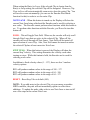
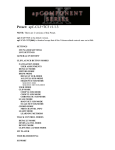
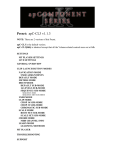
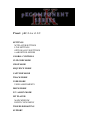
(TR) TRACK – Scroll between Tracks.
(DEV) DEVICE – Scroll between Devices on the selected Track.
(BPM) TEMPO – Adjusts Tempo in 1-BPM increments.
(GRV) GROOVE AMOUNT – Adjusts Groove Amount.
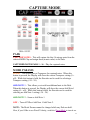
(PIT) TRANSPOSE – Transpose the selected Audio or MIDI Clip in one
semitone increments.
(STR) START TIME – In Session View, adjusts the Loop Position or Start
Point of the selected Clip. If no Clip is selected and/or when in
Arrangement View, adjusts Arrangement Loop Start.
(END) END TIME – In Session View, adjusts the Loop Length or End
Point of the selected Clip. If no Clip is selected and/or when in
Arrangement View, adjusts Arrangement Loop Length.
With both Start and End Time, the resolution is 1 Bar when adjusting
Arrangement Loop. When adjusting Clip Loop, the resolution is 1 Beat if
Global Quantization is set to anything other than None. If Global
Quantization is set to None, the resolution is 1/64th of a Beat.
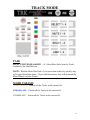
(GRP) GROUP – Collapse (left turn) or Expand (right turn) the selected
Group Track.
(MTR) MONITOR ASSIGN – Adjusts the Monitoring status of the
selected Track.
(CFD) CROSSFADE ASSIGN – Adjusts the Crossfade Assignment of the
selected Track.
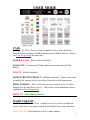
(VOL) VOLUME – Adjusts the Volume of the selected Track.
(PAN) PAN – Adjusts the Panning of the selected Track.
(U-D) UP&DOWN / (L -R) LEFT&RIGHT / (P-M) PLUS&MINUS –
Sends up and down / left and right / + and - keystrokes.
NOTE: With the Scroll, Tempo, Groove Amount, Volume and Pan
functions, the Encoder features acceleration. This means that, when turned
slowly, it can be used for fine adjustment. When turned quickly, it can be
used for coarse adjustment.
5