1
2
Chapter
M7170 Terminal Overview
This chapter describes the features of the M7170 vehicle mount
terminal.
T
o save time in the future, print a copy of this document. Choose Print from the File menu,
and press Enter to receive all the pages of examples and instructions.
Using the M7170 Keyboard
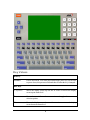
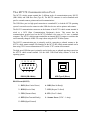
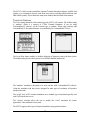
The M7170 Terminal is equipped with seventy-seven keys that are divided into White, grey,
blue, red and black keys. When pressed, each key emits an audible beep to indicate that the
M7170 terminal has detected the key press.
The red power key turns the M7170 on/off. You must press and hold this key down to power off
the unit. This prevents accidentally powering off the unit if this key is momentarily pressed.
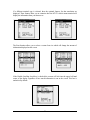
The twenty-four blue keys consist of four arrow keys, twelve function keys (F1 – F12), an
escape key (ESC), a tab key (TAB) a caps lock key (CAPS), two shift keys (SHIFT), an
alternate and control key (ALT) (CTRL) and one [ENTER] key (an additional enter key is on
the numeric keypad described later).
The shift keys will toggle between upper and lower case characters and selects special characters
on the alpha-numeric keypad.
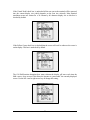
There are ten black numeric keys with a backspace key on the end. There are ten white numeric
keys with one white period key and one enter key. The numeric keypad makes it easy to enter
numeric data.
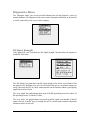
Twenty-eight grey keys represent letters, special characters, and the space key.
The black menu key will bring up the built-in menu system at any time.
3