1
The Scanner Manual
Table of Contents
Technical Support
.................................................................. iii
Initial Setup Guide for The Scanner ............................................................... v
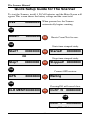
Quick Setup Guide for The Scanner .............................................................. vi
Chapter 1 - Using The Scanner ................................................................ 1-1
What is The Scanner?
................................................................ 1-2
How it Works
................................................................ 1-2
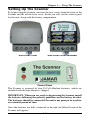
Setting Up The Scanner
................................................................ 1-3
Main Screen
................................................................ 1-4
Selecting Options
................................................................ 1-5
Reset Screen
................................................................ 1-5
Start Time-stamped Study Screen ..................................................... 1-6
GPS Screen
................................................................ 1-7
Clear Memory Screen
................................................................ 1-8
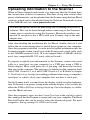
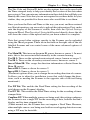
Uploading Information to the Scanner ..................................................... 1-9
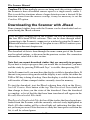
Downloading the Scanner with JRead .................................................... 1-12
Chapter 2 - Using the JPDA Software.......................................................... 2-1
Introduction to JPDA
................................................................ 2-2
Installing JPDA
................................................................ 2-3
Installing JRead
................................................................ 2-4
Getting Started with JPDA
................................................................ 2-3
Main Menu
................................................................ 2-3
Preferences Screen
................................................................ 2-4
Setup Screen
................................................................ 2-5
Status Screen
................................................................ 2-7
Ext. IR Screen
................................................................ 2-8
Retrieving Data from the Scanner .......................................................... 2-10
View Downloaded Files
.............................................................. 2-13
Transferring Data from JPDA with JRead .............................................. 2-14
Chapter 3 - Installing The Scanner .............................................................. 3-1
Installing the Mounting Bracket ............................................................... 3-2
Installing the Scanner in the Field ............................................................ 3-4
What Makes for a Good Location?........................................................... 3-4
Chapter 4 - Battery Care
Chapter 5 - Troubleshooting
................................................................ 4-1
................................................................ 5-1
Appendix
...............................................................A-1
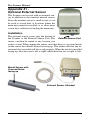
Appendix #1 - Optional External Sensor................................................. A-2
Appendix #2 - Installing the Software ..................................................... A-6
Specifications
...............................................................A-8
iv