1
171
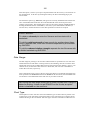
If Date Ranges Overlap
It is important to understand that when C and I are merged, if and
where their date ranges overlap, records from I will replace those for
dates that existed originally in file C. Those records in I that do not
have corresponding dates in C will be inserted in their appropriate
positions in F.
To achieve a particular result it is sometimes necessary to delete records from the beginning
or end of one of the two files C and I to remove the overlap and to save them under
temporary names, before undertaking the merging process using these temporary files instead
of the originals.
The Merge Files Dialog Box
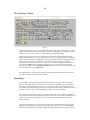
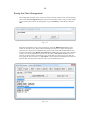
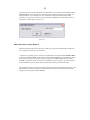
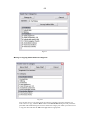
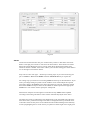
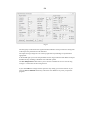
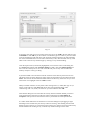
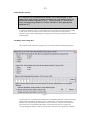
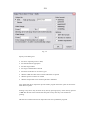
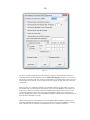
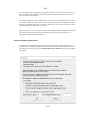
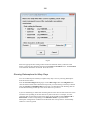
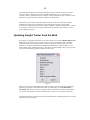
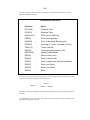
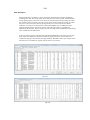
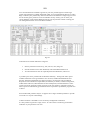
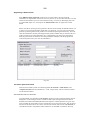
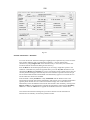
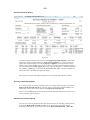
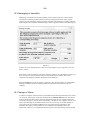
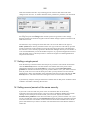
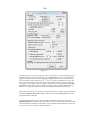
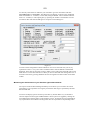
After a file has been selected for merging you are presented with the following dialog box:
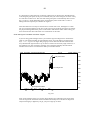
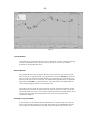
Fig 7.5
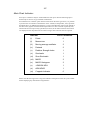
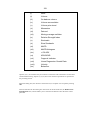
At the top there is a list of the field numbers and corresponding fields for both the current file
and the import file. Below this there two rows of edit boxes - the top one containing the
numbers 2-20 representing the field numbers of the current file. The bottom boxes that are
white need to have inserted the field numbers in the import file that are to replace the
corresponding field numbers of the current file above. This process is repeated for all fields