1
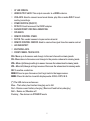
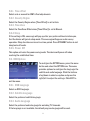
14. ►►|: Play next file/chapter.
15. |◄◄: Play previous file/chapter.
16. ►►: Fast forward the video playing.
17. ◄◄: Fast rewind the video playing.
18. PLAY/PAUSE: Starts, resumes or pauses the current media playback.
19. ▲: Move up in the menus and change to the next channel in viewing mode.
▼: Move down in the menus and change to the previous channel in viewing mode.
►: Move right/change settings in menus. Increase the volume level in viewing mode.
◄: Move left/change settings in menus. Decrease the volume level in viewing mode
20. ENTER: To confirm a selection. Or to open the channel list Menu.
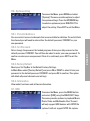
Note: SUB/TTX/EPG may not be available for all channels.
◄◄/►►/|◄◄/►►| will act as RED/GREEN/YELLOW/BLUE key depending on context.
Note: The TTX, SUB, L/R and EPG availability depends on the broadcasting channels
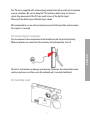
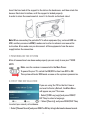
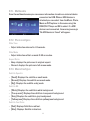
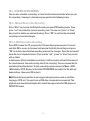
Pull the battery loader out and insert a CR2025 battery.
≥ Make sure to place the battery in the correct direction.
≥ When operating range reduces replace the battery.
≥ Do not recharge, disassemble, or heat the battery. Misuse of the battery may
result in leakage that will damage the remote control.
≥ Keep batteries out of reach of children. If someone swallows a coin cell or battery
must receive immediate medical attention.
≥ Do not attempt to reactivate the batteries using heat, loading, or by other means.
Never dispose of batteries in fire, or disassemble or short circuit. Replace batteries at least once a year to avoid spillage.
≥ Replace both batteries at the same time and replace them with the same type.
≥ When not using the remote control for a long time, remove the batteries.
35
ENGLISH
4.2. Installing the Batteries