1
WHT-TCS-9 issue 3.3
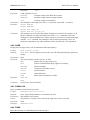
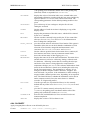
ON
OFF
SUSPEND
Examples:
Comments:
WHT TCS User Manual
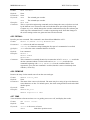
specifying that the telescope should be guided in response to
guiding errors from the CCD autoguider.
specifying that autoguiding should be switched off, i.e. that any
guiding errors from the CCD autoguider should be ignored.
put the TCS in a state where pixel coordinates are read from the
autoguider and the current reference position is maintained, but
guiding errors are not applied.
Restart guiding if the loop has been suspended.
RESUME
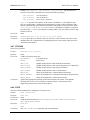
AUTOGUIDE ON
AUTOGUIDE ON 122.5 63.5
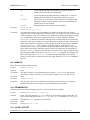
The autoguider sends xy pixel coordinates of a guide star to the telescope control
computer. The TCS then adjusts the telescope drives to keep the star at a given location
on the autoguider CCD. If the intention is to maintain the current positioning of a field
(e.g. if acquisition onto a spectrograph slit has been verified), then the command
AUTOGUIDE ON should be used. This takes the most recent position received from the
autoguider when the command was issued, and keeps the guide star there. On the other
hand, if the autoguider coordinates are already known, then the appropriate command
is AUTOGUIDE ON x y. This is likely to be useful when an observation is to be
repeated and the field is to be positioned at the same place on the detector. The guide
probe and pixel positions should be repeated. The TCS must know the autoguider in
use (see AGSELECT), otherwise the telescope corrections will be in the wrong direction.
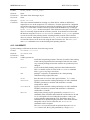
The function key F8 is equivalent to the AUTOGUIDE OFF command. The function key
F9 is equivalent to the AUTOGUIDE ON command. If the autoguider is not sending
packets, or if the data is unreliable due to low signal, then the AUTOGUIDE command is
ignored.
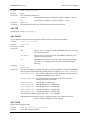
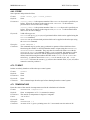
4.9 AZIMUTH
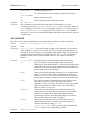
Move to the specified azimuth and stop.
Format:
AZIMUTH <angle>
Defaults:
None.
Parameters: The angle in degrees. The azimuth axis has a range of –175° to 355°; the absolute
encoder has a travel of exactly 360° after which it repeats. See WRAP and UNWRAP.
Keywords:
None.
Examples:
AZIMUTH 275.34
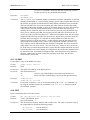
Comments: The telescope will not move unless the azimuth axis has been zeroset. Tracking in
altitude and for the current rotator are also disabled by this command.
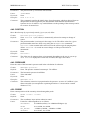
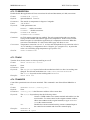
4.10 BEAMSWITCH
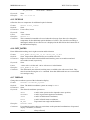
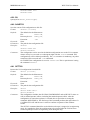
Offset the telescope so that an image moves by a vector fixed in the focal plane.
Format:
Defaults:
BEAMSWITCH <offset_x> <offset_y>
None. On source change (e.g. GOTO), offsets are reset to the nominal values (this can
also be done with the BEAMSWITCH 0 0 or APERTURE 0 commands: see APERTURE).
Parameters: The aperture (xA, yA ) positions in arcseconds.
Keywords:
None.
Examples:
BEAMSWITCH 20.2 -100
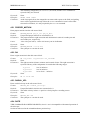
4.11 BLIND_OFFSET
Offset between a reference object centred on the reference position and a faint target object.
– 16 –