1
Software Version:
Database Version:
Location:
Admin Phone Number:
Management Interface:
SNMP Read Community:
SNMP Write Community:
SNMP Trap Community:
Power Supply A:
Power Supply B:
9:53
m1500 4.0 09/30/99
Ver 3.6
**************
**************
Craft Port
public
private
public
Active
Inac tive
View: Admin Info
**ALARM**
**************
ESC-ESC = Previous
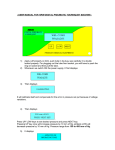
Figure 4-10. Admin Info Window from View Menu
The entries on this screen include:
Software Version
The version of the software that is currently in use by the CX device
Database Version
The version of the database currently installed
Location
Optional entry for the physical location of the switch
Admin Phone Number
Optional entry for the contact phone number
Management Interface
Interface being used to connect to the CX-1500/CX-1540
SNMP Read Community
Access level for “reading” the network
SNMP Write Community
Access level for writing to the network
SNMP Trap Community
Access level for receiving traps from the network
Power Supply A and B
Status of installed power supplies
Timing Source - This menu provides information on the source of the timing that is presently being
used. Selecting this menu item brings up the window shown in Figure 4-11.
CXUG
10/6/99
4-11