1
Acquiring Your First Images
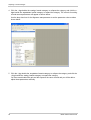
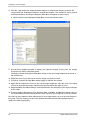
To get an initial feel for how to adjust your image quality, you will make adjustments to the camera
lens and you will use the pylon Viewer to make adjustments to the camera’s gain, black level, and
exposure time settings. You should also use your frame grabber software to capture images and to
see what they look like.
6. Open the lens aperture "halfway" by choosing an intermediate f-number.
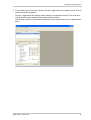
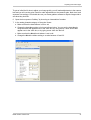
7. In the Analog Controls category of the pylon Viewer:
a. Make sure that the Gain Selector is set to All.
b. Change the Gain Raw setting to its lowest allowed value. You can set the Gain Raw by
using the slider that appears next to the value box, by using the up / down arrows that
appear next to the value box, or by typing a new value into the box.
c. Make sure that the Black Level Selector is set to All.
d. Change the Black Level Raw setting to a value between 16 and 32.
Basler aviator Camera Link
21