1
NetCommWireless
FREQUENTLY ASKED QUESTIONS
Can I use 200Mbps Powerline Adapters with older Powerline versions?
All Powerline versions can co-exist with each other. 200Mbps Powerline Adapters, however, are not compatible with other
Powerline releases.
If you will use different versions of 200Mbps Powerline Adapters in a single network, you need to use the Powerline Utility software to create
a Private Network Name for all devices. Unlike the new version of 200Mbps Powerline, older versions do not feature the Simple Connect
button which enables the device to create a common Private Network Name without using the software.
How does 200Mbps Powerline achieve a higher bandwidth than earlier Powerline releases?
200Mbps Powerline complies with the Powerline standard. It achieves higher data throughput by using a broader frequency spectrum
(2-30 MHz rather than 4-21 MHz), by using a better access method (Time Division Multiple Access rather than Carrier Sense Multiple
Access/Collision Detection), and by using a better processor with a greater bitload per Hz.
Can 200Mbps Powerline Adapters be used alongside 85Mbps or 500Mbps Powerline devices within the network?
85Mbps, 200Mbps and 500Mbps Powerline standards can co-exist but they will not be able to communicate with each other.
Which operating system (OS) is compatible with 200Mbps Powerline?
Powerline is operating system independent. However, the Powerline Utility requires a Windows operating system (98SE/ME/2000/XP/
Vista/7) with the .NET Framework installed.
How difficult is it to set up a Powerline network?
Powerline Adapters are plug and play devices. Connect to an Ethernet device, plug it to a wall socket, and it is ready to use. Even the
most inexperienced user can set up the network with ease. Installing the Powerline Utility software is only needed if you intend to manually
change the Private Network Name or view the connection rate.
How many devices do I need to create a Powerline network?
At least two devices are needed to create a Powerline network.
Is 200Mbps Powerline suitable for triple play i.e. use of data, voice, and video applications simultaneously?
Yes, triple play is supported.
What data transfer rates do I need for high definition TV?
A variety of HDTV resolutions are available. The following are the most common resolutions opposite the required transfer rate:
• 720p, mpeg2: 09-10 Mbps
• 720p, mpeg4: 06-08 Mbps
• 1080i, mpeg2: 12-15 Mbps
• 1080i, mpeg4: 08-10 Mbps
Does 200Mbps Powerline have a security mechanism?
Yes. 200Mbps Powerline uses 128-bit AES encryption.
Are Gigabit Ethernet adapters required for use with 200Mbps Powerline Adapters?
No. Under ideal conditions, Powerline has a physical gross data rate of up to 200 Mbps. The effective net data rate is somewhat lower. A
100 Mbps Ethernet adapter is therefore adequate in most cases.
Does the technology support multicast video server streams (IP-TV)?
Yes.
Do I need an Automatic Voltage Regulator (AVR) for Powerline networking?
No. Powerline can operate in an environment using 100-240V.
How many Powerline Adapters can operate in one household?
Up to 15 devices can be used within the household.
What is the maximum range of a 200Mbps Powerline network?
The maximum range is 200 meters.
19
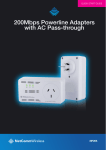
200Mbps Powerline Adapters with AC Pass-through- NP207