1
4
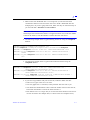
Q. When I bring down the license manager daemon, will this kill any programs
currently using the license manager?
A. Most FLEXlm programs will attempt to reconnect to a vendor daemon if that
connection is lost. The default of FLEXlm is to check the connection every 30
seconds; if a lost connection is discovered, the default is to recheck five times at
one minute intervals. Although all of this may differ from one program to another,
most programs do not have a problem when a connection is lost as long as the
connection is reestablished - usually within five minutes.
Q. Why do I have to bring the license manager down and back up, instead of just
using lmutil lmreread?
A. There is a known problem with lmutil lmreread involving timing,
particularly if your license file is large: the request to restart one or more vendor
daemons may be processed before the request to shut them down has finished.
The net result is that the vendor daemon is shut down, but not restarted. It is safer
to use lmutil lmdown, followed by lmgrd.
Q. How do I know if it is OK to merge my license files?
A. You may merge all license files that run on the same server and have the same
hostid specified on the SERVER line (if multiple SERVER lines are used, all must
match). Note that it does not matter if the port number on the SERVER line does
not match because this is user specified (the default is 1700).
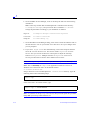
Q. Why do I have to use lmutil lmdown, instead of just killing the lmgrd
process?
A. When you kill the lmgrd process, the vendor daemons continue to run. Then,
when you restart the lmgrd, the restart of the vendor daemons will fail, and you
will see messages like the following in your log file:
MULTIPLE xxx servers running.
Please kill, and restart license daemon
If you see such messages, you should kill all xxx daemon processes and restart the
license manager.
Q. Do I have to restart the license manager when I just change expiration dates and
passwords?
4-6
LeonardoSpectrum Installation