1
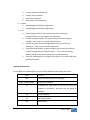
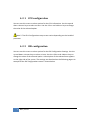
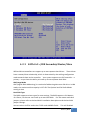
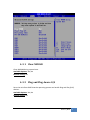
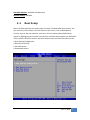
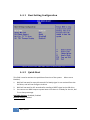
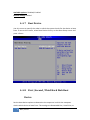
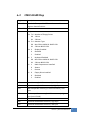
4224 Legacy USB Support Legacy USB Support refers to the USB mouse and USB keyboard support. Normally if this option is not enabled; any attached USB mouse or USB keyboard will not become available until a USB compatible operating system is fully booted with all USB drivers loaded. When this option is enabled, any attached USB mouse or USB keyboard can control the system even when there is no USB drivers loaded on the system. Set this value to Enabled or Disabled the Legacy USB Support. Available Options: Disabled, Enabled and AUTO Default setting: Auto 4225 USB 2.0 Controller Mode This field is configures the USB 2.0 controllers in High speed (480Mbps) or Full speed (12Mbps). Available Options: HiSpeed and FullSpeed Default setting: Hispeed 4226 BIOS ECHI HandOff This is a workaround for OS without ECHI Hand‐Off support. The ECHI ownership change should claim by ECHI driver. Available Options: Enabled and Disabled Default setting: Enabled 43 PCIPnP Setup Select the PCI/PnP tab from the setup screen to enter the Plug and Play BIOS Setup screen. You can display a Plug and Play BIOS Setup option by highlighting it using the <Arrow> keys. All Plug and Play BIOS Setup options are described in this section. The Plug and Play BIOS Setup screen is shown below. 32 BIOS | Korenix