1
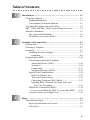
Sending a Fax from the Main Menu.................................. 19-4
Sending a Fax from a Windows® Application................... 19-5
Receiving Faxes into the PC
(For MFC 7400C only) ......................................................... 19-5
Checklist for Your PC ....................................................... 19-5
Viewing Received Faxes ................................................... 19-6
20
21
22
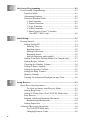
PhotoCapture Center™ (MFC 7400C only) ................................ 20-1
Introduction .............................................................................. 20-1
PhotoPrinter 2000 Pro ....................................................... 20-2
Overview of Basic Steps .......................................................... 20-2
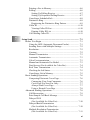
Using Automatic E-Mail Printing................................................ 21-1
For Windows® 95/98/98SE, ME only ...................................... 21-1
To Access the On-Line Documentation........................ 21-1
Using the Brother MFC with a New Power Macintosh® G3,
G4 or iMac™/iBook........................................................................ 22-1
Set up Your USB Equipped Apple® Macintosh® G3,G4 or
iMac™ with Mac OS 8.5/8.51/8.6/9.0 ................................... 22-1
Notice to Computer Users ................................................. 22-1
Installing the Brother Printer and Scanner Drivers .................. 22-2
Installing PaperPort® ......................................................... 22-2
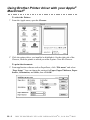
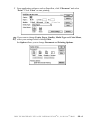
Using Brother Printer driver with your Apple® Macintosh® .... 22-3
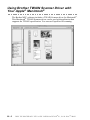
Using Brother TWAIN Scanner Driver with Your Apple®
Macintosh® ............................................................................ 22-5
Accessing the Scanner ....................................................... 22-6
Scanning a Document into Your Macintosh G3, G4 or
iMac .............................................................................. 22-6
Settings in the Scanner Window........................................ 22-7
Image............................................................................. 22-7
Resolution.................................................................................22-7
Color Type................................................................................22-7
Scanning Area ............................................................... 22-8
Business Card Size........................................................ 22-8
Miscellaneous................................................................ 22-9
Brightness.................................................................................22-9
Contrast ......................................................................... 22-9
Color Sync Dialog......................................................... 22-9
Scanner Profile............................................................ 22-10
PreScanning an Image ..................................................... 22-11
xviii