1
Interactive Forms
All Bloomberg BNA Interactive Forms are government approved. Automated form
processing requirements for barcodes, scanlines, validation fields, etc., are built in to
guarantee filing requirements are met. New and updated forms are added to the
collection as they are released by the issuing agencies.
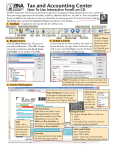
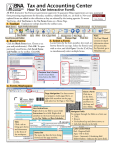
To locate Forms, click Interactive Forms in the Practice Tools frame.
On the forms toolbar, hover over a button to display the button’s function.
Click the question mark button
to access the User Manual for detailed
information on how to use Interactive Forms.
Click the New Documents button to open a new federal form.
Under Jurisdictions, select Federal and then select the specific
form by number in the right column. Click Open.
Filing information automatically displays when a form is opened.
A yellow outline indicates the active field.
Fields are color-coded:
Aqua – Fill-in field
Green – Auto-calculate field
Right-click in any line to display the Go To Line
Instructions link.
To close a form, click Save
, and then click the x in the
upper right corner. A message prompt asks if you want
to create a reusable profile for the form.
To access previously saved Documents and Profiles,
click the Open Saved Documents/Profiles button
.
23