1
7.8. Help Menu
147
7.7.4 New File Transfer in Current Directory
Select the New File Transfer in Current Directory option to open a new File Transfer window in the current
remote directory.
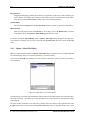
7.7.5 New Windows Explorer
The New Windows Explorer menu option is available only in the File Transfer window.
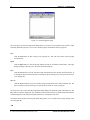
Select the New Windows Explorer option to open a new Windows Explorer window. The Windows Explorer
is the familiar Windows utility that can be used to manage the files and folders on your local computer. You
can have multiple Explorer windows open at the same time to make file management easier.
7.7.6 Close
Select the Close option to close the current window. Other windows are unaffected, even if they are associated
with the same connection.
7.7.7 Close All Others
Select the Close all Others option to close all the other SSH Secure Shell client windows associated with the
active connection.
A single connection can have several windows open (such as an SSH Secure Shell terminal window and a File
Transfer window). The Close All Others operation affects all the other windows associated with a particular
connection.
However, if you have started other, separate SSH Secure Shell clients, they are not affected by this operation. Close All Others only affects one connection and all of its associated windows, but no other, separate
connections.
7.8 Help Menu
The Help menu allows you to access the help and copyright information.
7.8.1 Contents
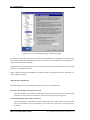
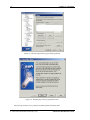
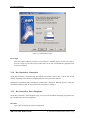
Select the Contents option from the Help menu to view the help as Web pages. A browser will open and the
HTML based help files will be loaded locally, from your own computer. The contents page will appear. Click
SSH Secure Shell Windows Client
c 2002 SSH Communications Security Corp.