1
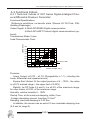
User’s Manual for SST Digital•Intelligent Pressure / Differential Pressure Transmitter 3.4 Detailed Instruction of Sub-menu Operation I. Sub 0 display unit setting After entering Sub 0 menu, the display will be the current measurement value and the corresponding unit; when the current is output in square root, it will display “√” unit optional menu, 6 items in rolling display are as follows in sequence: 0 kPa 1 MPa 2 mA 3 % 4 √mA 5 ℃ Press the UP key and the above items will roll to display in ascending order Press the DOWN key and the above items will roll to display in descending order Press the ENTER key will complete selection, and save into memorizer, then return to main menu Press the ESC key will cancel the operation and the unit remains unchanged, then return to main menu. In the state of this menu with no key action for 2 min, the menu will return to the measurement state with the unit remaining unchanged. Note: output way of current depends only on item 2 and 4, and the other options will not change the original current output way. No square root function is configured with the digital•intelligent direct-coupled pressure/level transmitter. 34