1
44
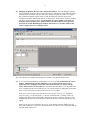
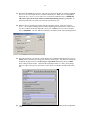
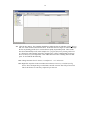
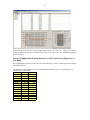
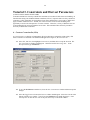
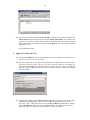
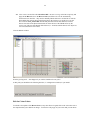
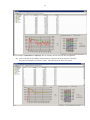
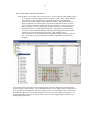
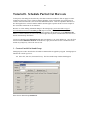
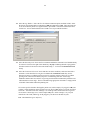
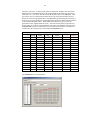
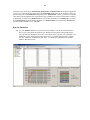
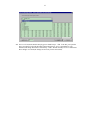
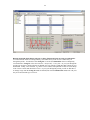
1.2. Select the Age Window. Notice the five silviculture treatments options available in FPS. Select
the Partial cut treatment and set a Minimum of 180 and a Maximum of 999. These age limits are
set to ensure that the partial cut is applied within a period that is consistent with the associated
Yield Curve. A more detailed discussion of Yield Curves is provided in Tutorial 8.
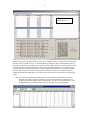
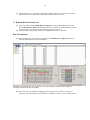
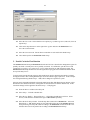
1.3. Select the Goto SGrp tab. Notice the five treatments and that the treatment Partial should already
be selected. The box to the right of this should say <myself> indicating that after a polygon has
been harvested it will be return to the same Stand Group, i.e. it will Goto the Partial Cut Stand
Group.
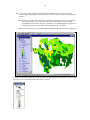
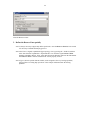
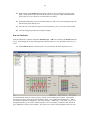
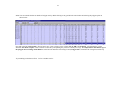
1.4. Select the Treatment Values tab. Notice that there are three conditions, each associated with a
treatment. Set the Residual Growing Stock to 351 m3/ha. Partial Cut stands may now be
harvested so long as a residual growing stock of 351 m3/ha is retained. This level of residual
growing stock is based on an arbitrary objective of maintaining mule deer winter range.
Guidelines indicate that 70% and 90% of growing stock should be maintained in partial harvests
within mule deer winter range. The lower bounds being appropriate when there is a high portion
of suitable winter habitat within the planning area.
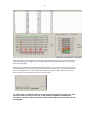
To be more specific about how FPS applies partial cuts, in this example, if a polygon is 180 years
or older, it is harvested down to the Residual Growing Stock of 351 m3/ha as set in the Treatment
Values tab. After harvest the new stand age is set to the age where the Residual Growing Stock
occurs on the Volume/Age curve, in this example 130 years. In this example, every 50 years
74m3/ha are harvested, and the age of the polygon cycles between 180 and 130 years.
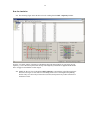
1.4.1. Checkmark the Ignore Adjacency.