1
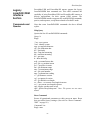
Host Interface
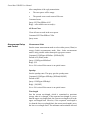
wavelength may also be named as data arguments. The query gets
the current maximum or minimum allowed wavelengths, depending
on the optional query data argument.
Command: CONFigure:WAVElength {MINimum|
MAXimum|<requested wavelength in nm>}
Query: CONFigure:WAVElength? [MINimum|
MAXimum]
Reply (if [MINimum|MAXimum] is not specified):
<granted wavelength in nm>
Reply (if MAXimum is specified):
<allowed maximum wavelength in nm>
Reply (if MINimum is specified):
<allowed minimum wavelength in nm>
Gain Compensation
Enable/Disable State
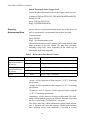
Enables or disables gain compensation, which is committed to
persistent storage when it is changed. If gain compensation is
enabled, power readings sent over the host port will be measured
power multiplied by the gain compensation factor.
Command: CONFigure:GAIN:COMPensation {DEFault|OFF|ON}
Default is OFF
Query: CONFigure:GAIN:COMPensation?
Reply: OFF|ON
Factor
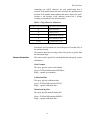
Sets the gain compensation factor, which is committed to persistent
storage when it is changed.
Command: CONFigure:GAIN:FACTor {DEFault|
<0.001..100000.0>}
Default is 1.0
Query: CONFigure:GAIN:FACTor?
Reply: <gain compensation factor>
Sensor Zero
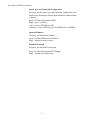
Sets the current measurement as the zero baseline measurement. We
recommend that you zero the sensor prior to measuring power to null
out any offset in the power sensor. If you have recently touched a
thermopile or exposed it to heat, you must wait for the sensor to
settle back to a stable zero point before sending the Zero command.
Command: CONFigure:ZERO
61